By Shakhawat Ullah
11 Min Read
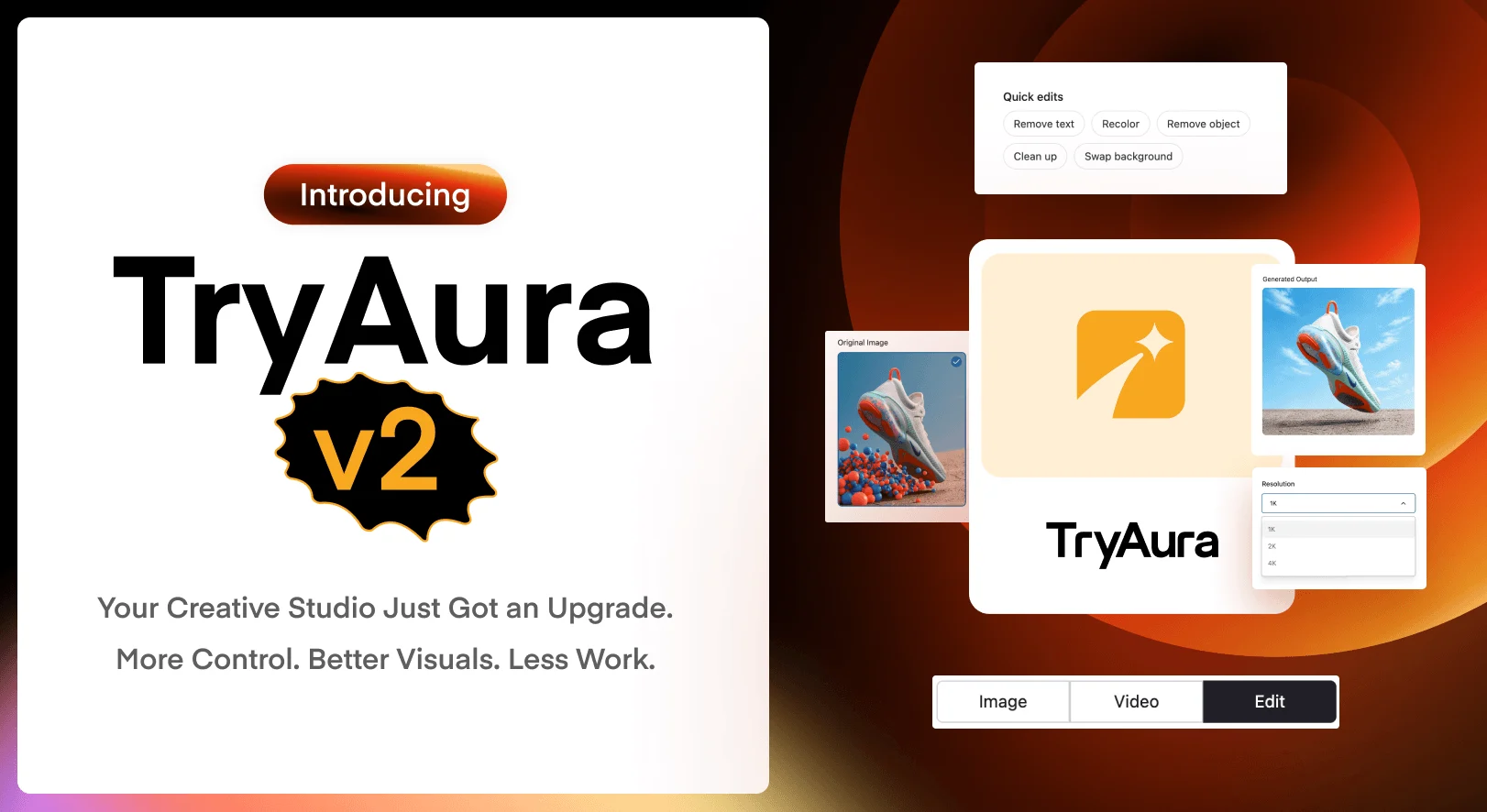
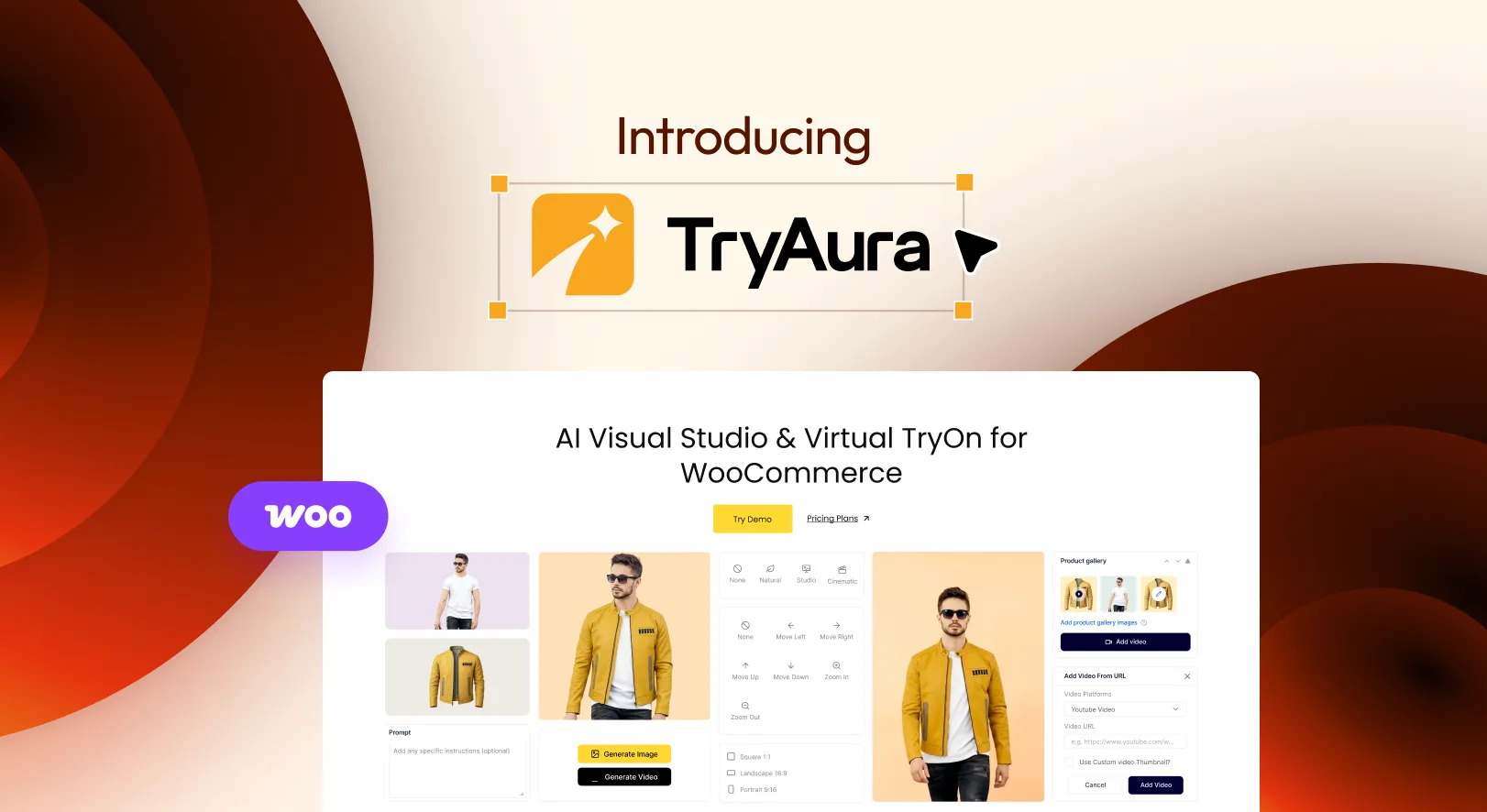
Introducing TryAura: The Smarter Way to Create WooCommerce Product Visuals
Your products may be ready to sell, but are your product visuals ready to convince shoppers?
For many WooCommerce store owners, product presentation is one of the hardest parts of running an online store. You need clean product photos. You need lifestyle images. You need visuals that look consistent across your catalog.
You may also need product videos, campaign images, and a way to help shoppers imagine how an item will look on them before they buy.
The problem is that all of this takes time.
Photoshoots are expensive. Editing takes longer than expected. Supplier images make your store look like every other store selling the same product. And when you launch new items regularly, your visual workflow can quickly become the thing that slows everything down.
That is exactly why we built TryAura.
TryAura is an AI-powered WooCommerce plugin that helps you create product images, product videos, and virtual try-on experiences directly inside WordPress. No separate dashboard. No complicated visual production workflow. No credit-based generation system that forces you to count every image.
Just a faster, easier way to turn your existing product photos into visuals that help shoppers understand, trust, and buy your products.

Introducing TryAura for WooCommerce
TryAura is a WooCommerce-native AI product visualization plugin built for store owners who want better product visuals without relying on repeated photoshoots or multiple external tools.

With TryAura, you can generate AI product images, create short product videos, and enable virtual try-on directly from your WooCommerce product workflow.
In simple words: TryAura gives your WooCommerce store an AI-powered visual studio inside WordPress.
With TryAura, you can:
- Generate AI product images from your existing WooCommerce product images
- Enable virtual try-on directly on product pages with a single toggle
- Create short product videos from existing visuals (Pro)
- Apply studio and lifestyle visual presets without manual design work
- Manage all generated assets inside the WordPress Media Library
- Reuse visuals across products, pages, posts, and campaigns
For stores where appearance drives purchase decisions, this can make product pages more useful, more engaging, and more confidence-building.
Why We Built TryAura
Fifteen years ago, weDevs started with a simple belief that small businesses deserve powerful tools too.
That belief hasn’t changed. But the problems brought to us by our 550,000+ users have become even more pressing.
And one issue kept appearing across store sizes, industries, and markets: WooCommerce merchants weren’t losing sales because their products weren’t good enough, but because their product pages weren’t doing the products justice.
Photoshoots were expensive. Editing took days. Virtual try-on was technically out of reach. And most available tools only solved one part of the problem.
There was no complete, native WooCommerce solution that handled images, videos, and try-on together without adding a new dashboard, a new account, or a new workflow.
So we built TryAura. Not to add another tool to the stack, but to finally give WooCommerce store owners something that could handle the full visual pipeline, the way they would themselves, if they had the time and resources.
“We wanted to build something practical that store owners can use every day, not just something that looks good in a demo.”
Who Should Be Using TryAura?
TryAura is built exclusively for the WooCommerce store owner who is tired of losing time and money to the product visual bottleneck.
You have the products. Your store is live. But your pages still rely on inconsistent photos, outdated images, or visuals that don’t reflect what the product actually looks like. Every delayed launch is a missed sales window.
If any of these describe you, TryAura was built for you:
- Your product photos look inconsistent across the catalog
- You rely on supplier images that other stores also use
- You want better visuals but cannot run photoshoots for every SKU
- You launch products faster than your creative team can keep up
- You sell products where appearance affects the buying decision
- Your shoppers often ask, “How will this look on me?”
- You want product videos but do not want a separate video production workflow
- You manage WooCommerce products and want everything inside WordPress
- You want to test visual styles without paying per design variation
Your store deserves more than expensive photoshoots and fragmented tools. TryAura is what comes next.
What Can You Do with TryAura?
As the ultimate visual studio for your WooCommerce Store, TryAura does more than generate pretty images. It helps you launch products faster, makes catalog updates easier, and helps shopper decide with confidence.
Here is an honest, side-by-side look at what changes when TryAura becomes part of your store’s visual workflow.
| Feature | Store With TryAura | Store Without TryAura |
|---|---|---|
| AI Product Image Generation | Create cleaner product visuals from existing images inside WooCommerce | Arrange shoots, wait for edits, or keep using basic product photos |
| Virtual Try-On | Let shoppers preview products from the product page | Shoppers guess, hesitate, and leave with unanswered questions |
| Product Video Generation | Turn static product images into short videos | Use a separate video tool or skip video completely |
| Visual Presets and Controls | Keep product visuals more consistent across the catalog | Product images look different depending on the source |
| Media Library Integration | Save and reuse generated visuals inside WordPress | Download, rename, upload, and organize files manually |
| Gemini BYOK | Use your own API key without TryAura charging per generation | Pay for platform credits that may limit how much you create |
AI Product Image Generation
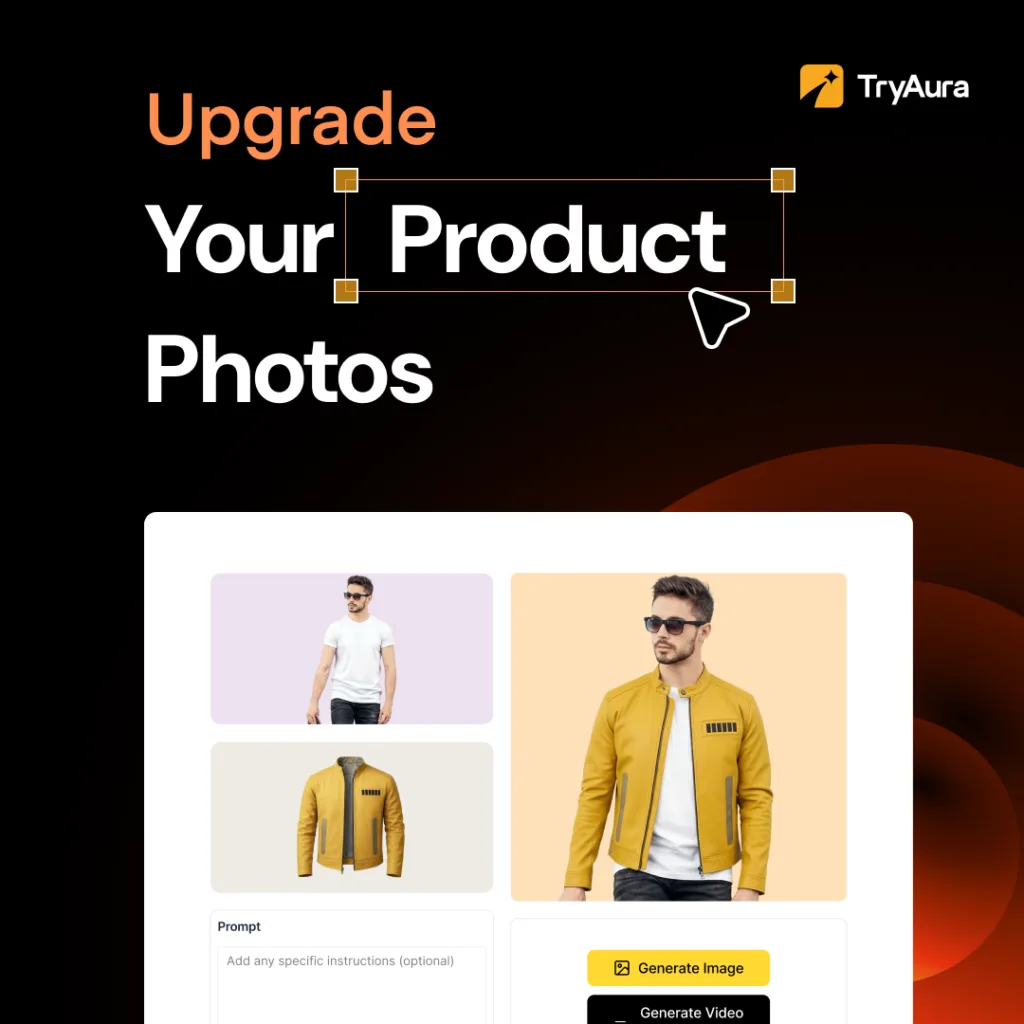
Your existing product images can become the starting point for stronger visuals.
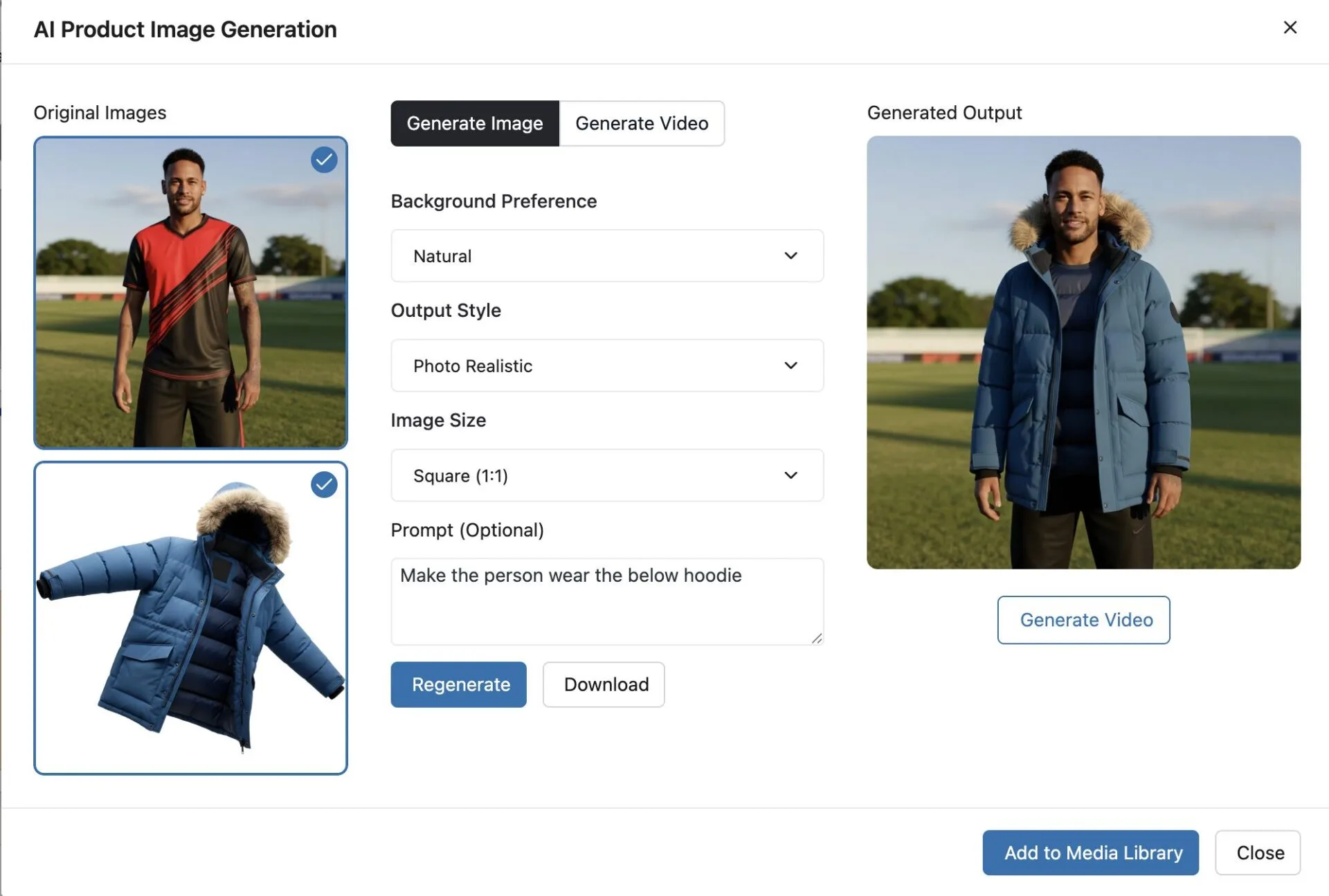
With TryAura, you can generate cleaner, more polished product images from the WooCommerce product editor.
You can use studio-style backgrounds, natural scenes, plain backgrounds, and custom creative direction to match your store’s visual identity.
AI Product Video Generation
Static product images are important, but video often gives shoppers a better sense of movement, texture, context, and detail.
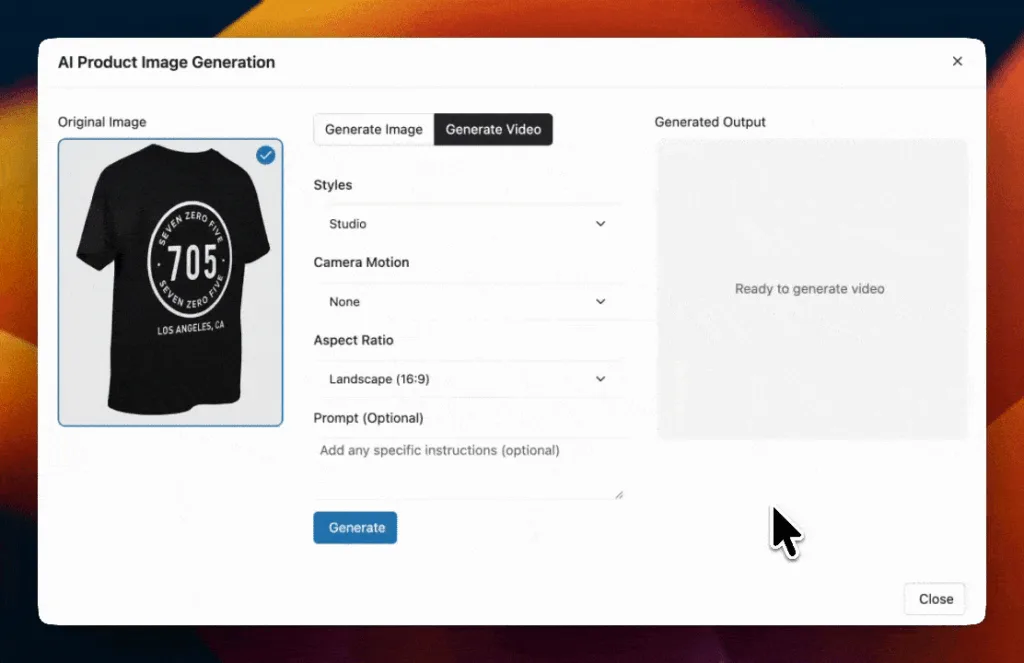
With TryAura Pro, you can create short product videos from existing or generated product images. These videos can be saved and reused on product pages, product galleries, landing pages, and marketing content.


Virtual Try-On & Virtual Fitting Rooms
A product page should answer the shopper’s biggest questions before checkout.
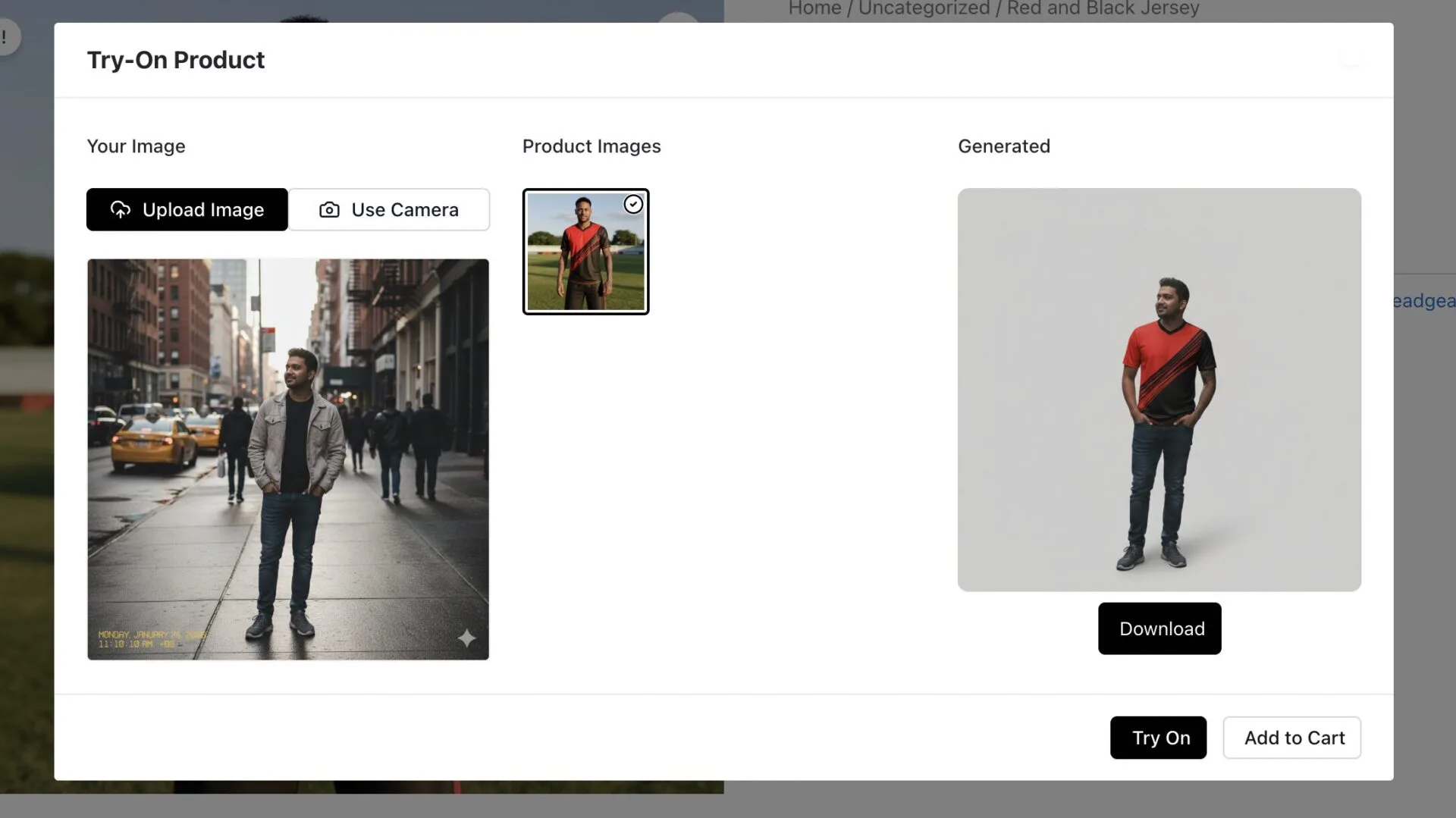
TryAura’s virtual try-on feature helps answer those questions visually. Store owners can enable a Try On experience on product pages, allowing shoppers to upload an image or use their device camera to preview how a product may look on them.
Visual Presets and Creative Controls
Most store owners do not want random AI outputs. They want visuals that look realistic, useful, and aligned with their brand.
TryAura includes visual presets and creative controls to help you guide the output. You can choose background styles, image styles, aspect ratios, video styles, motion controls, and prompts depending on your plan.
This gives you more control over how your products appear while keeping the process simple enough for regular WooCommerce users.
WordPress Media Library Integration
Generated visuals should not disappear into another platform.
TryAura saves generated images and videos to your WordPress Media Library, so you can use them across product pages, blog posts, landing pages, galleries, and other areas of your website.
This makes TryAura more than a product page tool.
It becomes part of your broader content workflow.
Bring Your Own Key (BYOK): No Credit Limits, No Markup
Most AI tools charge per generation or bundle usage into expiring monthly credits. TryAura takes a different approach.
With BYOK support, you can:
- Connect your own Google Gemini API key directly inside the plugin settings
- Pay Google’s standard API cost with no TryAura markup on top
- Generate as many images as your workflow requires without hitting arbitrary credit ceilings
So if you are ready to generate professional product visuals at scale and stop waiting on photographers or worrying about per-image costs, TryAura is the visual workflow your WooCommerce store has been waiting for.
How TryAura Solves the Product Visual Bottleneck
Product visuals should help you sell. They should not delay your product launch.
Without TryAura, a typical visual workflow can look like this:
You prepare the product. You arrange a photoshoot. You wait for editing. You review the files. You request changes. You upload the final images. Then you repeat the process for the next product batch.
That might work for a small number of products, but it becomes harder as your catalog grows.
With TryAura, the workflow becomes simpler:
You open a product in WooCommerce, generate images, create videos when needed, enable virtual try-on, and publish the updated product page.
That does not mean every store should stop using professional photography. Strong original product images still matter. But TryAura helps you extend, improve, and scale your visual content without starting from zero every time.
For many stores, that means faster launches, more consistent product pages, and less dependency on repeated creative production.
What Makes TryAura Different from Other AI Visual Tools?
There are many AI image tools available today, but most were not built specifically for WooCommerce store owners.
Some work as standalone SaaS tools. Some focus only on images. Some focus only on virtual try-on. Some use credit systems that make every generation feel like a cost decision. Others are built mainly for Shopify or enterprise teams.
TryAura is different in four important ways.
1. TryAura Is Built for WooCommerce
TryAura works inside WordPress and WooCommerce. You do not need to move your product workflow into another platform.
You can manage product visuals from the same environment where you already manage products, media, pages, and store content.
For WooCommerce store owners, that matters because workflow simplicity saves time.
2. TryAura Covers Images, Videos, and Virtual Try-On
Most tools solve one part of the visual problem.
TryAura connects three important needs in one plugin:
AI product image generation, AI product video creation, and customer-facing virtual try-on.
That gives your store a more complete product visualization workflow instead of forcing you to combine separate tools.
3. TryAura Uses a Bring Your Own Key Model
Credit-based AI tools can become frustrating when your catalog grows. You may start by generating a few images, but once you need visuals for dozens or hundreds of products, credits disappear quickly.
TryAura uses your own Gemini API key. That gives you more direct control over generation usage and avoids a credit system inside the plugin.
For cost-conscious WooCommerce store owners, this is one of TryAura’s biggest advantages.
4. TryAura Fits Real Store Workflows
TryAura is not designed only for creating impressive AI images. It is designed for practical product presentation.
Generated assets save to the Media Library. Virtual try-on can be controlled per product. Product visuals can be reused across your site. Store owners can use it without needing a design team or custom AI workflow.
That is what makes TryAura useful for everyday WooCommerce operations.
How TryAura Works
TryAura is designed to keep the workflow simple.
Step 1: Choose a Product
Open an existing WooCommerce product or start with a product image you already have.
Step 2: Generate Product Photos
Use TryAura to create AI-enhanced product images with the background, style, and output direction that fits your store.
Step 3: Create Product Videos
When you need motion-based product content, generate short videos from your product visuals and save them to the Media Library.
Step 4: Enable Virtual Try-On
Turn on the try-on experience for products where shoppers would benefit from previewing the item visually.
Step 5: Publish and Reuse
Use the generated images and videos on product pages, galleries, blog posts, landing pages, and other marketing content.
TryAura Pricing
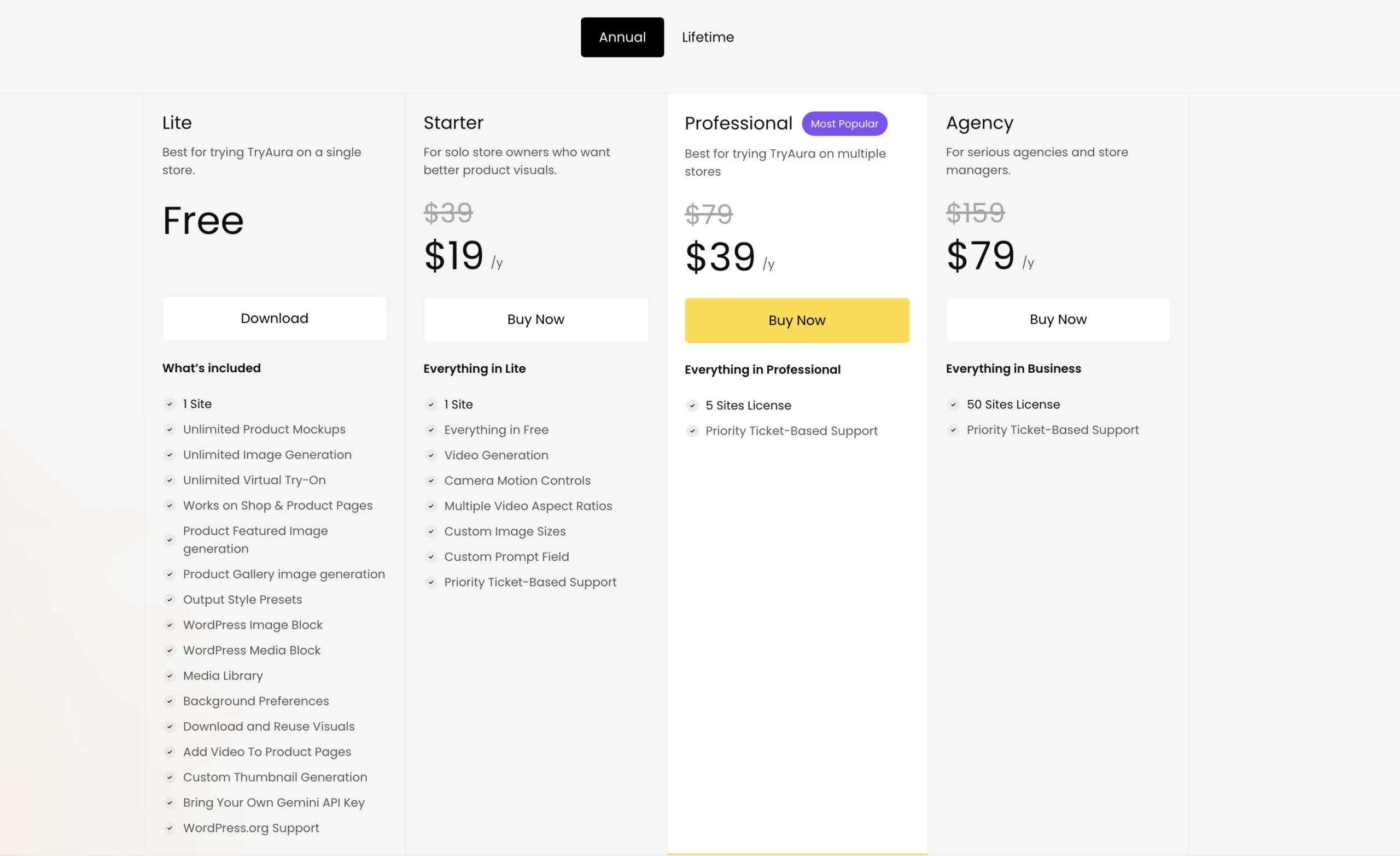
TryAura includes a generous free plan that gives WooCommerce store owners access to unlimited product image generation and unlimited virtual try-on using their own Gemini API key.
Paid plans unlock advanced features like custom prompts, product video generation, video controls, aspect ratio control, and branding removal from the try-on widget.
That makes the free plan a practical starting point for store owners who want to test AI product visuals and virtual try-on before upgrading.
For growing stores, agencies, and multi-site WooCommerce teams, the paid plans provide more creative control and broader site usage.
The biggest pricing benefit is simple: TryAura does not make you buy image credits from the plugin.
You bring your own Gemini key, control your own AI usage, and create visuals without managing a separate credit balance inside TryAura.
Build Better WooCommerce Product Pages with TryAura
Your product visuals are not just decoration. They shape trust, confidence, and purchase decisions.
If your store depends on slow photoshoots, inconsistent supplier images, or disconnected visual tools, TryAura gives you a simpler way forward.
You can create product images, generate videos, enable virtual try-on, and manage everything inside WooCommerce using the workflow you already know.
For store owners, that means faster product launches.
For shoppers, that means clearer product experiences.
For growing brands, that means a visual workflow that can scale with the catalog.
TryAura is built for WooCommerce merchants who want to present products better without making visual production harder.
Ready to create better product visuals inside WooCommerce? Try TryAura today and turn your existing product images into sales-ready visuals, videos, and virtual try-on experiences.
Category:
Tags: