By Shakhawat Ullah
19 Min Read
10 Best Virtual Try-On Plugins for WooCommerce in 2026
The most expensive thing on your product page is not your price. It is the doubt your photos leave behind.
Shoppers stare at a product image and try to picture how it looks on them. When they cannot, they leave. When they buy without being sure, they return it.
Online stores will lose an estimated $849.9 billion to returns in 2025, according to the NRF.
Virtual try-on plugins for WooCommerce exist to kill that doubt at the source.
In this guide, you’ll learn:
- What a virtual try-on plugin actually does
- Why 2026 is the right time to add one to your store
- Comparing the top try-on plugins compare side by side
- Choosing the right virtual try-on plugin that fits your store type
- What to check on privacy and cost before you commit
Let’s get started.
Understand What a Virtual Try-On Plugin Actually Does
A virtual try-on plugin for WooCommerce helps shoppers picture a product on themselves, before they pay for it.
The core job is simple. Cut doubt before the sale.
There are three types of try-ons, and each one solves a different store problem.
Shopper Photo Upload
The customer uploads a photo. The plugin overlays the product onto that image.
This works best for fashion, eyewear, and accessories, where personal fit matters most.
AI Model Preview
No personal photo needed. The plugin uses AI-generated models instead. Shoppers see the product without a camera or a shared selfie.
Some tools let the shopper pick a model that looks similar to them. That small option reduces friction for shoppers who value privacy.
Better Product Media
A few plugins go further than a try-on button. They help you build sharper product images and videos before the shopper ever clicks “Try On.”
An AI product image generator can turn a flat supplier photo into a clean, on-model catalog shot. An AI product video generator adds short motion clips to a static gallery. These tools fix the product page before the shopper even thinks about trying anything on.
Why WooCommerce Stores Need Virtual Try-On in 2026
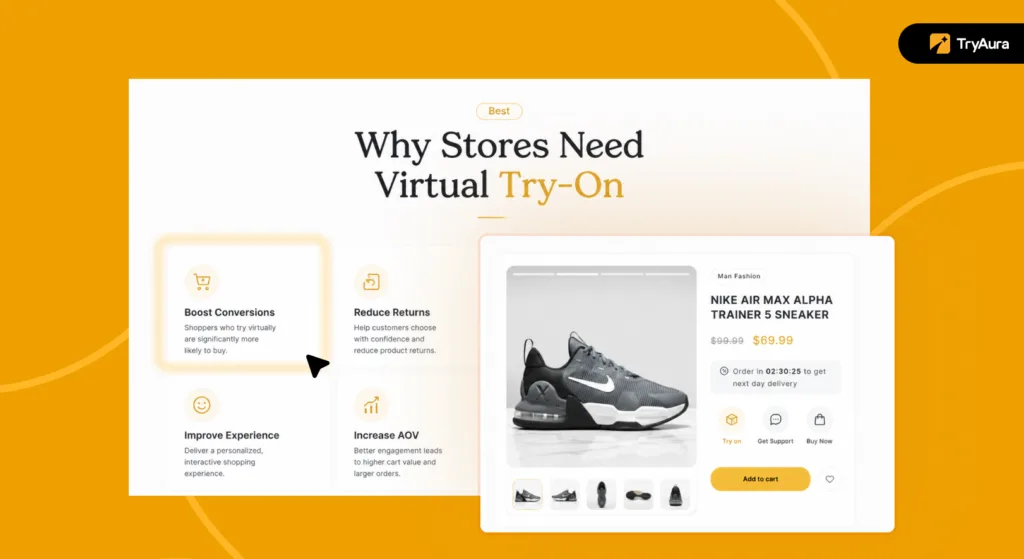
The business case for virtual try-on comes down to one fact: your shoppers cannot touch your products.
In a physical store, a customer picks up a shirt and holds it to their shoulder. Online, they have to guess. That gap between seeing and knowing is where sales go quiet.
Baymard Institute tracked 50 studies on cart abandonment and found a 70.22% average abandonment rate across online stores. Not every abandoned cart is a try-on problem. But “not sure about the product” is consistently one of the top reasons shoppers leave without buying.
Returns tell the same story from the other side. The NRF estimates that 19.3% of all online sales was returned in 2025. Fashion and apparel carry the highest return rates in ecommerce.
Most of those returns happen because the product looked different from what the shopper expected.
Something else is shifting in 2026. Shoppers are comfortable with AI-generated model photos now.
Two years ago, an AI photography on a product page felt odd to many buyers.
Today, major fashion brands use AI catalog images as standard practice. WooCommerce store owners can access that same quality at a fraction of a traditional photo shoot cost.
Having that said, let’s look at the top 10 virtual try-on plugins for WooCommerce!
Top 10 Virtual Try-On Plugins for WooCommerce
Not all virtual try-on plugins for WooCommerce do the same job. Understand which virtual try-on is best for your WooCommerce store is critical when choosing the right plugin.
Let’s dive deeper into where each tool shines and where it stops.
| Plugin | Best fit | Shopper photo | Image gen | Main limit |
|---|---|---|---|---|
| Preview AI | Simple fashion try-on | Yes | No | Clothing-first, no media tools |
| TryonX | Gemini-powered apparel try-on | Yes | No | Paid Gemini API needed |
| TryLoom | Styled dressing room feel | Yes | No | Cloud processing required |
| TryAura | Full visual suite: images, videos & try-on | Yes | Yes | Paid Gemini API needed |
| Virtuas.ai | Apparel with model choices | Yes | No | Clothing only |
| AnyDress.ai | Fashion try-on and AI catalog photos | Yes | Yes | Fashion-first |
| Tryly.ai | Hosted clothing widget | Yes | No | Clothing only |
| Addify | WooCommerce admin controls | Yes | No | Less media creation |
| Webkul | Model, prompt, and product controls | Yes | No | More setup required |
| W7S | Broad product types | Yes | No | Results vary by product |
Know What to Check Before You Pick Any Try-On Plugin
Privacy and real running costs are the two things most stores overlook when choosing a virtual try-on plugin. Feature lists are easy to compare. These two are not.
Start with privacy. Every plugin on this list processes personal images in some form. Some store them. Some send them to third-party AI APIs. Some delete them on a fixed schedule. Know exactly what yours does before the first shopper clicks “Try On.”
Work through these questions before you go live:
| Question | Why it matters |
|---|---|
| Are shopper photos stored after processing? | It creates a privacy risk |
| Are photos sent to a third-party API? | You need to know where data travels |
| How long are photos retained? | Retention windows vary widely between tools |
| Can guests use the tool, or only logged-in users? | Guest access can raise cost and privacy complexity |
| Does your current privacy policy cover this use case? | You may need to update it before launch |
A one-line note near the try-on button, explaining what happens to the photo, builds trust and cuts support questions. It is not optional once you are processing personal images.
Then build the real cost picture. Free plugins are often not truly free. A plugin may be free to install but needs a paid Gemini plan before image generation runs.
Plugins that route processing through the cloud API adds cost at volume. The more you generate, the higher the costs rack up. Map out your expected monthly traffic before committing to any API-dependent tool.
Page speed matters too. Every plugin adds some weight to the product page. Check whether the tool loads scripts site-wide or only on the pages where try-on is enabled.
A site-wide script load on a large catalog is a problem worth catching before launch.
The best virtual try-on plugin for your store is the one that handles shopper data cleanly, costs what you expected, and does not slow the pages it runs on.
Reviewing 10 Best Virtual Try-On Plugins for WooCommerce
We’ve studied the highest reviewed and highest installed virtual try-on options for WooCommerce in 2026. We’ve tried to cover every use case from simple clothing buttons to full AI media studios.
Here are the top 10 virtual try-on plugins we’ve tried and tested –
1. Preview AI: AI Virtual Try-On for WooCommerce
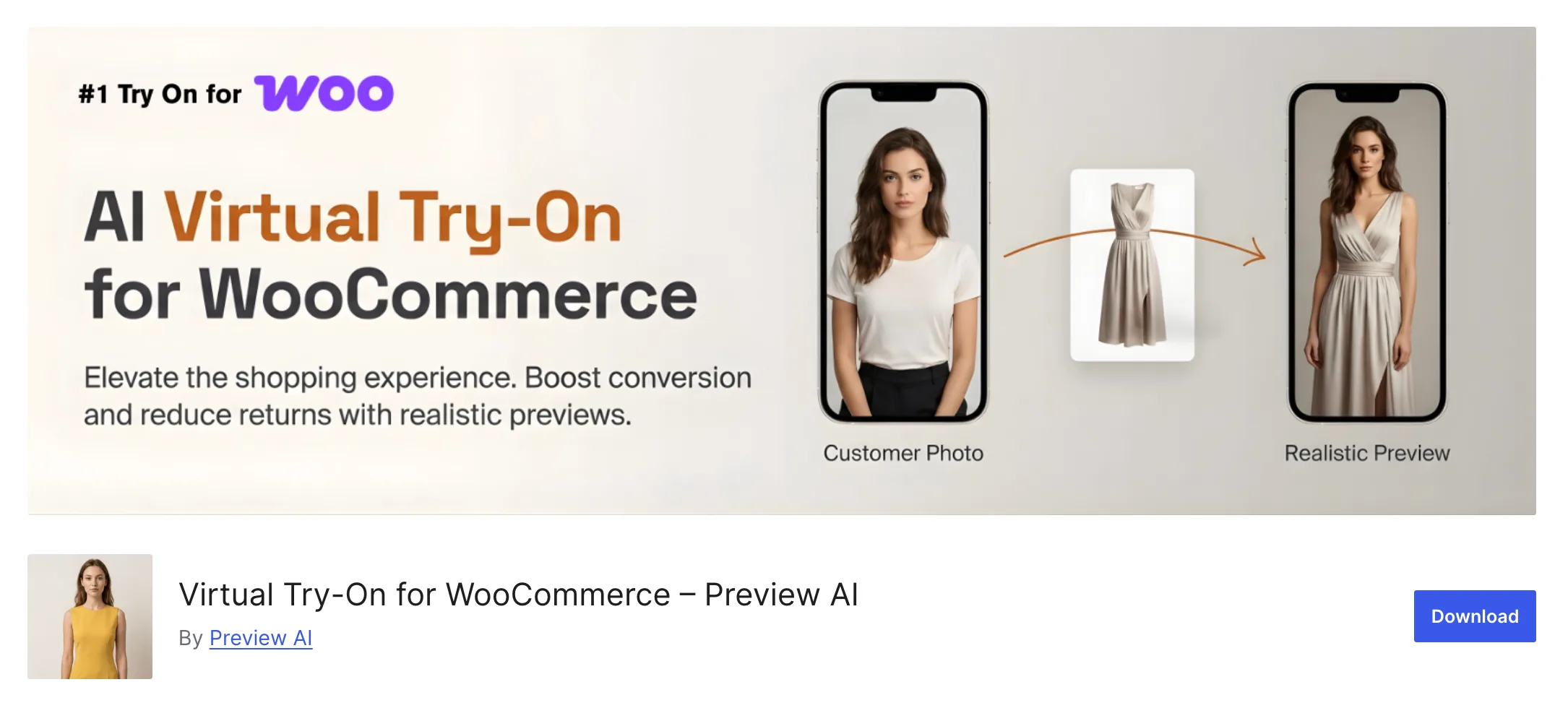
Preview AI is a WooCommerce try-on plugin for fashion stores. It adds a try-on button to product pages where shoppers upload a photo and see the product on themselves. The focus is the front-end shopper experience, not media creation.
It provides realistic previews, helping in increasing conversion and reducing returns.
Pros:
- Simple setup with a clear shopper experience
- Covers multiple clothing categories including shoes and full outfits
- Good fit for stores with already-strong product photos
Cons:
- Shoppers must upload a personal photo. No AI model option
- No image or video generation tools
- Not useful for non-clothing products
Best for: Fashion stores with clean product photos that want a fast, simple try-on button.
Main limit: It is a front-end try-on tool only. It does not help with media creation.

2. TryonX: AI Virtual Try-On for WooCommerce
TryonX uses Google Gemini to generate try-on images for clothing stores. The shopper uploads a photo on the product page and Gemini builds the result. It is one of the more feature-packed clothing tools in terms of extras like bulk try-on and analytics.
The plugin includes session management, comparison tools, bulk try-on, social sharing, and analytics. It also states that shopper photos and product images are sent to Google Gemini when the shopper clicks “Generate.”
A paid Gemini plan is required for image generation to work.
Pros:
- Gemini-powered results for quality output
- Bulk try-on feature for comparing multiple products in one session
- Social sharing and basic analytics included
- Side-by-side comparison tools
Cons:
- Requires a paid Google Gemini API plan. Factor this into your real budget
- Shopper photos go to Google Gemini, which has privacy implications worth reading
- Apparel only. No support for mixed catalogs
Best for: Apparel stores that want Gemini-powered results and are comfortable managing API costs.
Main limit: Product support is narrow and the API cost grows with usage volume.
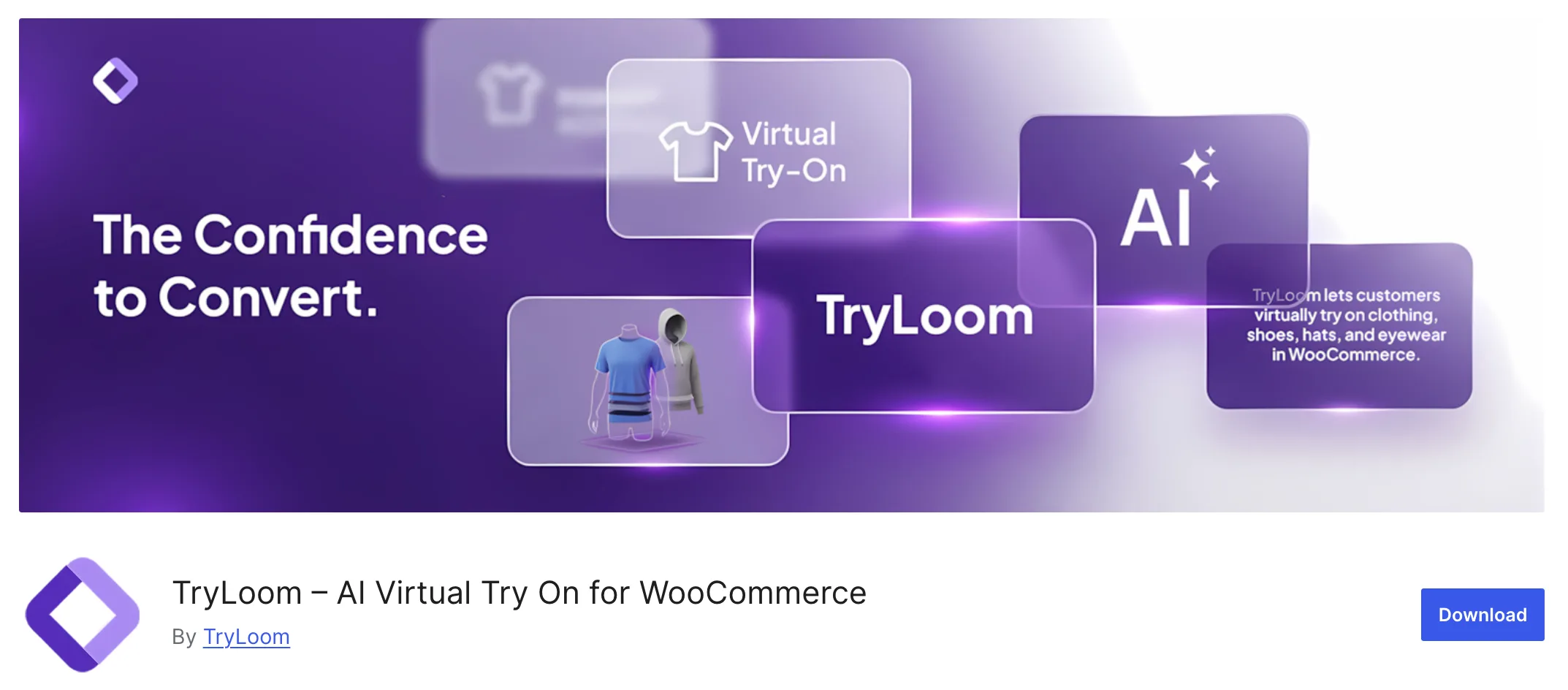
3. TryLoom: AI Virtual Try On for WooCommerce
TryLoom is built around a styled AI dressing room experience rather than a basic photo overlay. Results look more polished because the plugin routes image processing through its own cloud platform, not your WordPress host.
It sends the site URL, API credentials, product ID, product image, and the shopper photo to its cloud API for processing. The trade-off is performance quality versus data handling complexity.
Pros:
- More styled, polished output compared to a basic overlay
- Good fit for fashion brands where aesthetics and presentation matter
- Handles heavy AI processing off your server
Cons:
- Shopper photos and product data go to a cloud API. Review the privacy policy carefully
- Dependent on TryLoom’s cloud platform availability
- Not suited for non-fashion product types
Best for: Style-led clothing stores that want visually polished try-on output.
Main limit: Cloud processing is core to how it works. No local processing option.
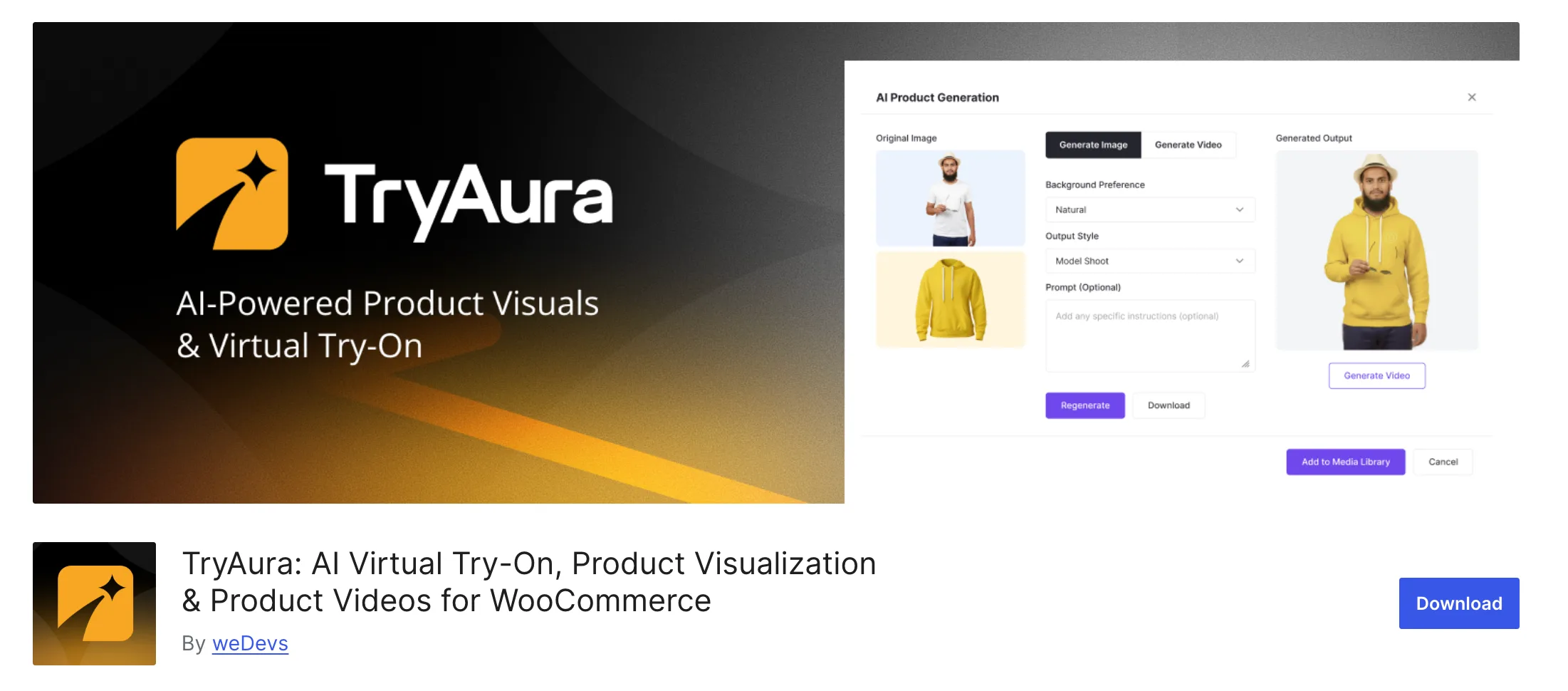
4. TryAura: AI Virtual Try-On, Product Visualization & Product Videos for WooCommerce
TryAura is a WooCommerce plugin for AI-powered product visuals. It connects to Google Gemini through a bring-your-own-key (BYOK) setup and works across three areas: improving existing product images, generating new product visuals, and adding a virtual try-on button to product pages.
Shoppers can upload a photo or use their camera directly on the product page. Any image generated through TryAura saves straight to the WordPress Media Library.
The plugin also supports short AI-generated product videos. Customer try-on results are not stored in the website backend.
Pros:
- Three major features in one: virtual try-on, AI image generation, and AI video generation
- Camera and photo upload options on the product page
- Generated images save directly to your WordPress Media Library
- Robust free plugin with additional features in pro
- Works on your existing product photos
Cons:
- Requires a Google Gemini API key (BYOK model)
- More features than a basic try-on button. Not the right pick if all you need is a simple overlay
Best for: Stores that need better product images, AI model shots, product videos, and a try-on tool, all from one WooCommerce plugin.
Main limit: It does more than a single-purpose tool. Simple stores may not need all of it.

5. Virtuas.ai: AI Virtual Try-On for WooCommerce
Virtuas.ai gives WooCommerce apparel shoppers two ways to try a product: upload their own photo or pick an AI-generated model. That second option is the standout feature and sets it apart from most tools on this list.
The plugin doesn’t offer any Lite versions on the WordPress repository. When trying out their demo, we found their demo not working. However, we’ve picked out the best features from Reddit threads.
Pros:
- Personal photo and AI model preview in one tool
- Friction-free option for shoppers who prefer not to share a selfie
- Clean, focused interface for apparel product pages
Cons:
- Clothing and apparel only. Mixed-catalog stores will hit its limits fast
- No image or video generation tools
- Pricing is not clearly displayed on the website
Best for: Apparel stores where some shoppers are camera-shy and an AI model option would lower friction at checkout.
Main limit: It is clothing-first. Non-apparel products are outside its scope.
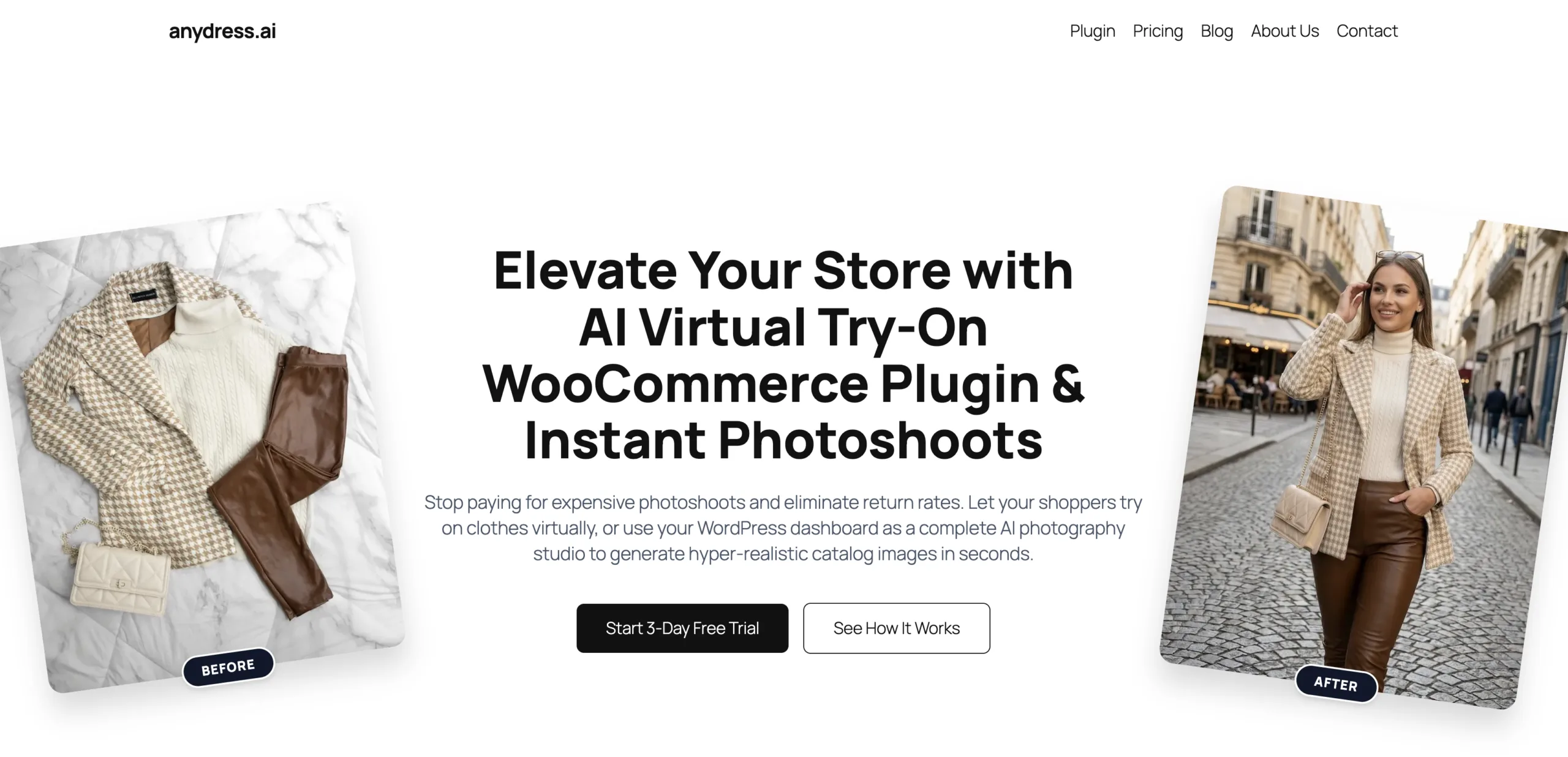
6. AnyDress.ai AI Virtual Try-On
AnyDress combines a shopper-facing try-on button with an AI catalog photo studio built into the WordPress dashboard. It is closer to TryAura in scope than a simple try-on widget, but with a tighter focus on fashion.
Store owners can use their WordPress dashboard as an AI photography studio for catalog images. For fashion brands that want better product photos and a shopper try-on feature without juggling two tools, that combination makes sense.
Pros:
- Try-on and AI catalog photo generation in one plugin
- AI photo studio accessible from the WP dashboard
- Useful for fashion brands refreshing catalog imagery without a new photo shoot
Cons:
- Fashion-focused. Not built for non-clothing product types
- No video generation
- Charges credit based usage, which is costly
Best for: Fashion brands that need cleaner catalog images and a try-on button from one workflow.
Main limit: Very fashion-first and expensive to get started.
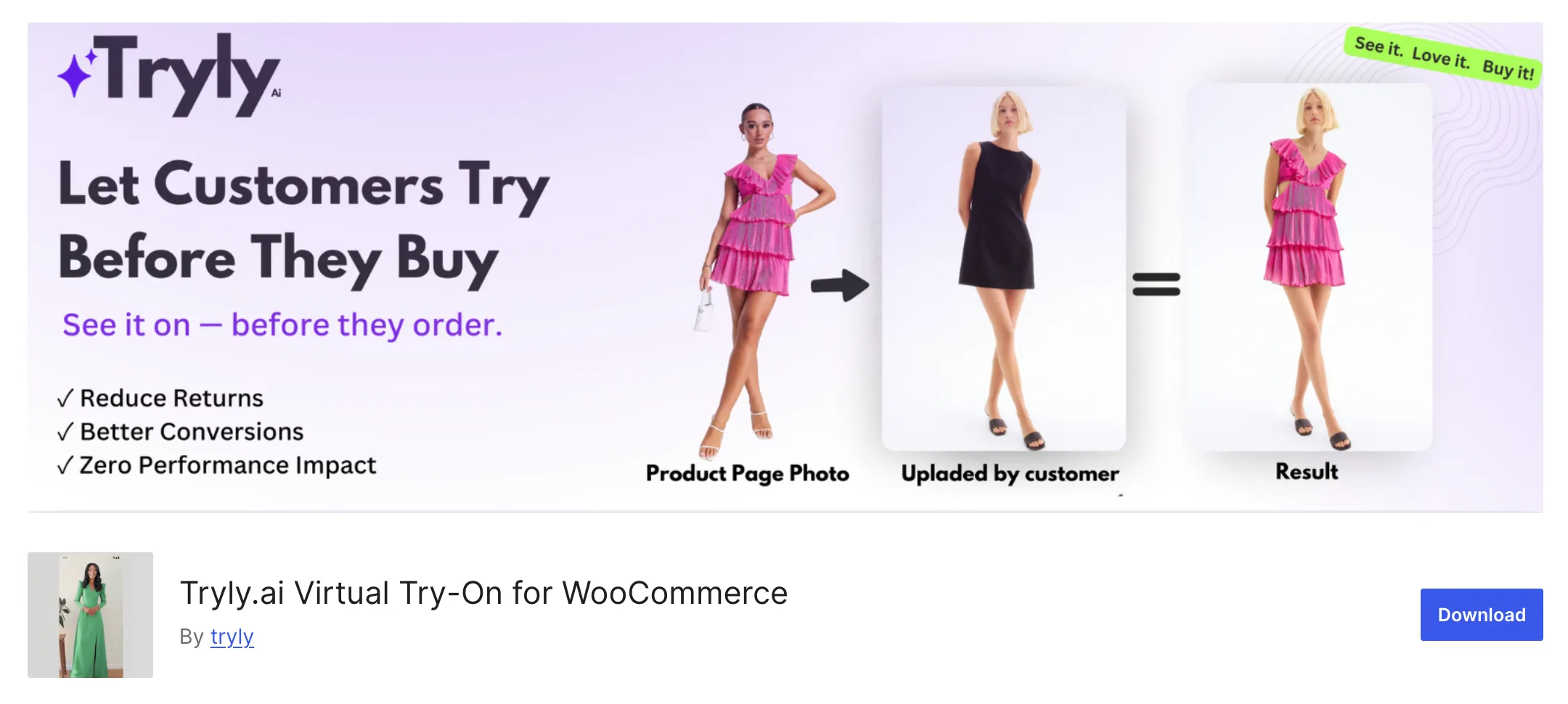
7. Tryly.ai: Virtual Try-On for WooCommerce
Tryly.ai is a hosted try-on widget for WooCommerce. Install the plugin, connect your account, and try-on buttons appear on product pages.
It works with tops, bottoms, dresses, jumpsuits, and rompers. It does not work with accessories, jewelry, hats, bags, or shoes. Know the product type limits before you install it.
Pros:
- Fast setup
- Free version to try out the plugin
- Solid fit for standard clothing categories
Cons:
- No accessories, shoes, jewelry, or non-apparel support
- Images are stored in their servers, creating privacy risks
- Hosted widget means your try-on depends on Tryly’s platform uptime
- No image or video generation
Best for: Clothing stores that want quick setup and straightforward privacy terms.
Main limit: If your catalog goes beyond basic clothing, this tool is not the right fit.

8. Addify: AI Virtual Try On for WooCommerce
Addify puts admin control at the center of the try-on experience. You can restrict the feature by product, category, brand, and user role. That level of control is rare among the tools on this list and makes it useful for stores with complex catalogs or B2B shoppers.
It supports try on for jewelry, eyewear, watches, clothing, hats & accessories. Not only that, the images are watermarked so that others can’t use it from your store. These extras matter for stores that need compliance-friendly copy near the try-on feature or usage data for reporting.
Pros:
- Granular controls: product, category, brand, and user role restrictions
- Try-on logs for usage tracking and reporting
- Policy text and watermark options built in
- Listed on WooCommerce.com for straightforward purchase and official support
Cons:
- Less focus on AI image or video generation
- Rule configuration takes more setup time
- Feels heavy for stores that just want a simple try-on button
Best for: Stores that need usage logs, compliance copy, and rule-based control over who sees try-on and where.
Main limit: Strong on admin features, light on media generation tools.
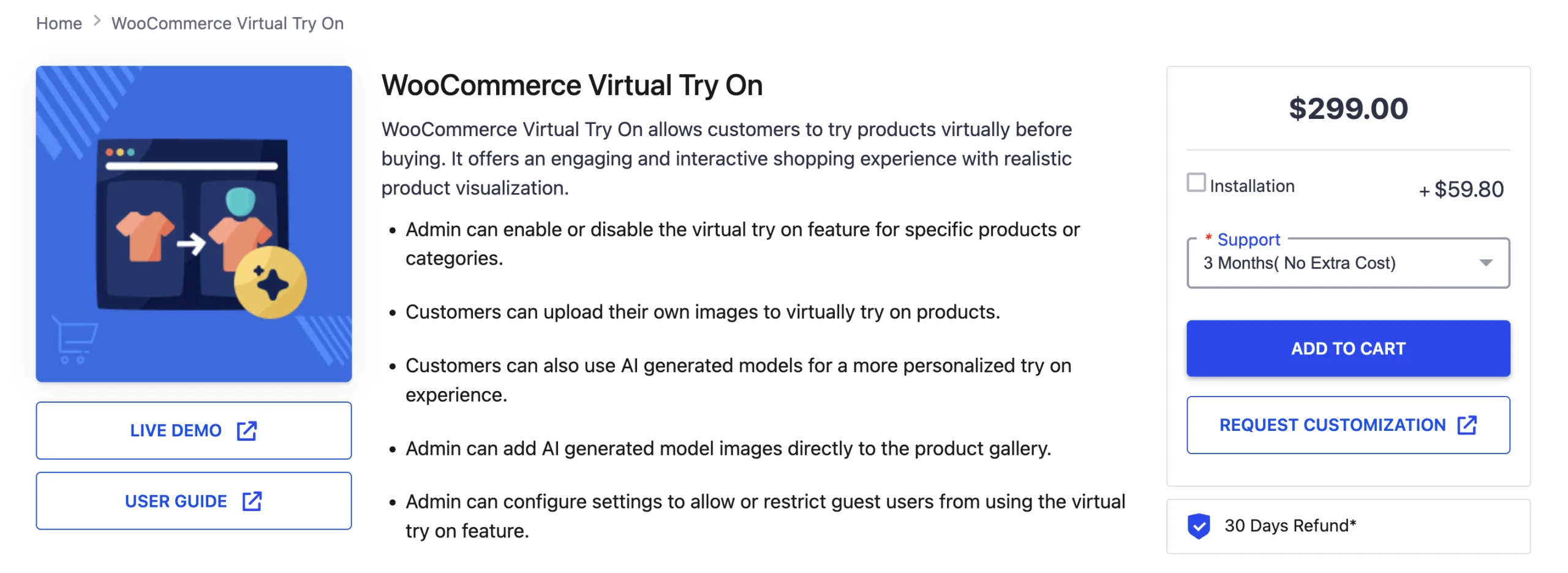
9. Webkul WooCommerce Virtual Try On
Webkul is the most configurable plugin on this list. Prompt control, multiple AI model options, guest access settings, and per-product rules all come included. The Webkul guide confirms support for Gemini, Gemini Nano Banana, and Qwen as AI model backends.
It offers an engaging and interactive shopping experience with realistic product visualization.
Pros:
- Supports multiple AI models
- Prompt control lets you fine-tune output quality
- AI-generated model images can be added directly to product galleries
Cons:
- $299 upfront cost per store
- Setup requires more technical configuration than most tools on this list
- Heavier than most stores actually need
Best for: Technical merchants and agencies that want full control over AI models, prompts, and product-level settings.
Main limit: High setup complexity. Not built for a quick install-and-go experience.

10. Virtual Try-On for Shops (W7S)
W7S’s Virtual Try-On is the broadest option on this list in terms of product scope. It supports fashion & apparel, furniture & home decor, accessories, and other virtual try-on use cases.
Focusing heavily on try-on, it doesn’t let you recreate the images of your catalogue like some plugins in the list. However, if you require simply for your customers to try out before buying, this is a noteworthy option.
Pros:
- Affordable monthly plans let you add virtual try-on without significant costs
- Lets you use your Gemini API for tryons
- Supports a wide range of use cases
Cons:
- Requires a Paid Gemini API key
- Less established compared to purpose-built fashion plugins
- Limited information available on privacy handling
Best for: Stores with mixed or non-clothing catalogs that want to test try-on across different product types.
Main limit: Start with a small test group. Results are harder to predict across categories.
Match the Right Plugin to Your Store Type
The best AI virtual try-on plugin depends on your biggest product page problem, not the longest feature list.
If you only require virtual try-on, your options are truly unlimited.
However, if you also to upgrade your product catalogue images or even generate videos using those generated images directly in WooCommerce, your options are limited. Plugins like TryAura can help you do exactly that.
Before selecting a virtual try-on plugin, ensure that you are aware of what your usage requirements are.
| Your store situation | Best pick |
|---|---|
| Product photos need upgrading | AnyDress or TryAura |
| You just need Try-On | Preview AI or Tryly.ai |
| You want to use your own API | TryAura or TryonX |
| You need AI catalog photos and try-on | TryAura or AnyDress.ai |
| You need strict product and role controls | Addify or Webkul |
| You want prompt and AI model control | Webkul |
| Mixed catalog, not just clothing | TryAura or W7S |
| Fast setup and clear privacy terms | TryAura or Tryly.ai |
A few hard rules to keep in mind:
Fix the product media first. TryAura is the strongest pick when weak images and missing videos are the core problem. Try-on sits on top of that foundation, not beneath it.
If your product photos are already solid, a simpler clothing try-on tool gets the job done. Preview AI, TryonX, TryLoom, Virtuas.ai, and Tryly.ai all work well for apparel-first stores with clean existing imagery.
If admin control is what your store needs, compare Addify and Webkul side by side. Addify fits stores that want category rules and compliance text. Webkul fits technical teams that need prompt control and multi-model support.
For mixed catalogs, test W7S on a handful of products. Check the output on desktop and mobile. Track results for two weeks. Then decide whether to expand or look elsewhere.
Frequently Asked Questions
Which virtual try-on plugin is best for WooCommerce?
TryAura is the strongest overall pick for WooCommerce stores that need try-on, AI image generation, and video generation in one place. For stores that only need a simple clothing try-on button, Preview AI or Tryly.ai are cleaner options. For admin controls and usage logs, Addify and Webkul lead the field. The right choice depends on what your store actually needs to fix.
Do virtual try-on plugins work for all product types?
Most virtual try-on plugins are built for fashion and apparel. TryonX, Virtuas.ai, and Tryly.ai work best with clothing. TryAura and AnyDress.ai cover a broader range of product visuals. W7S claims support for glasses, jewelry, and paint colors on walls. Test any tool on your specific products before rolling it out to your full catalog.
Do customers need to upload a photo to use virtual try-on?
Not always. Some plugins require a shopper photo. Others offer AI-generated model previews that skip the personal image entirely. Virtuas.ai and TryLoom both offer AI model options. TryAura lets shoppers choose between uploading a photo or using the camera directly on the product page.
Do virtual try-on plugins store customer photos?
It depends on the plugin. TryAura states that customer try-on results are not stored in the website backend. Tryly.ai says photos are processed and deleted within 72 hours. TryonX sends photos to Google Gemini each time the shopper clicks Generate. Always check the current privacy policy of any tool you choose before going live.
Do you need a Google Gemini API key for virtual try-on?
Only for plugins that connect to Gemini directly. TryonX requires a paid Gemini plan before image generation runs. TryAura uses Gemini for images, video, and virtual try-on under a BYOK model. Webkul lists Gemini as one of its supported AI backends. Plugins like Preview AI and Tryly.ai do not require a Gemini key.
Will a virtual try-on plugin slow down my WooCommerce store?
It depends on how the plugin loads its scripts. A plugin that adds scripts site-wide will affect every page. A well-built tool only loads on product pages where the feature is active. Akamai research shows a 1-second load delay reduces conversions by around 7%. Test page speed on product pages after installing any new plugin before a full rollout.
What is the difference between a virtual try-on plugin and a product configurator?
A product configurator lets shoppers change product options like colors, text, materials, or custom components. A virtual try-on plugin shows shoppers how a product looks on a person, a model, or an uploaded image. They solve different problems. A configurator answers what do I want. A try-on tool answers will this suit me.
Choosing The Right Virtual Try-On Plugin for Your Store
Product doubt is expensive. It kills sales before checkout and triggers returns after.
The right virtual try-on plugin gives shoppers the confidence to buy and keep what they ordered.
If your product photos are already strong, a simple clothing try-on button from Preview AI, Tryly.ai, or Virtuas.ai will do the job.
If your product media is the real problem, TryAura gives you image generation, video generation, and try-on in one WooCommerce workflow.
Pick the best virtual try-on plugins for WooCommerce store that matches your actual problem. Test it on your five best sellers first.
Track try-on clicks, cart adds, and return notes over two weeks. If the results seem satisfactory, you can use the plugin long term.
Category:
Tags: