Quick View
View Products Without Leaving the Shop Page
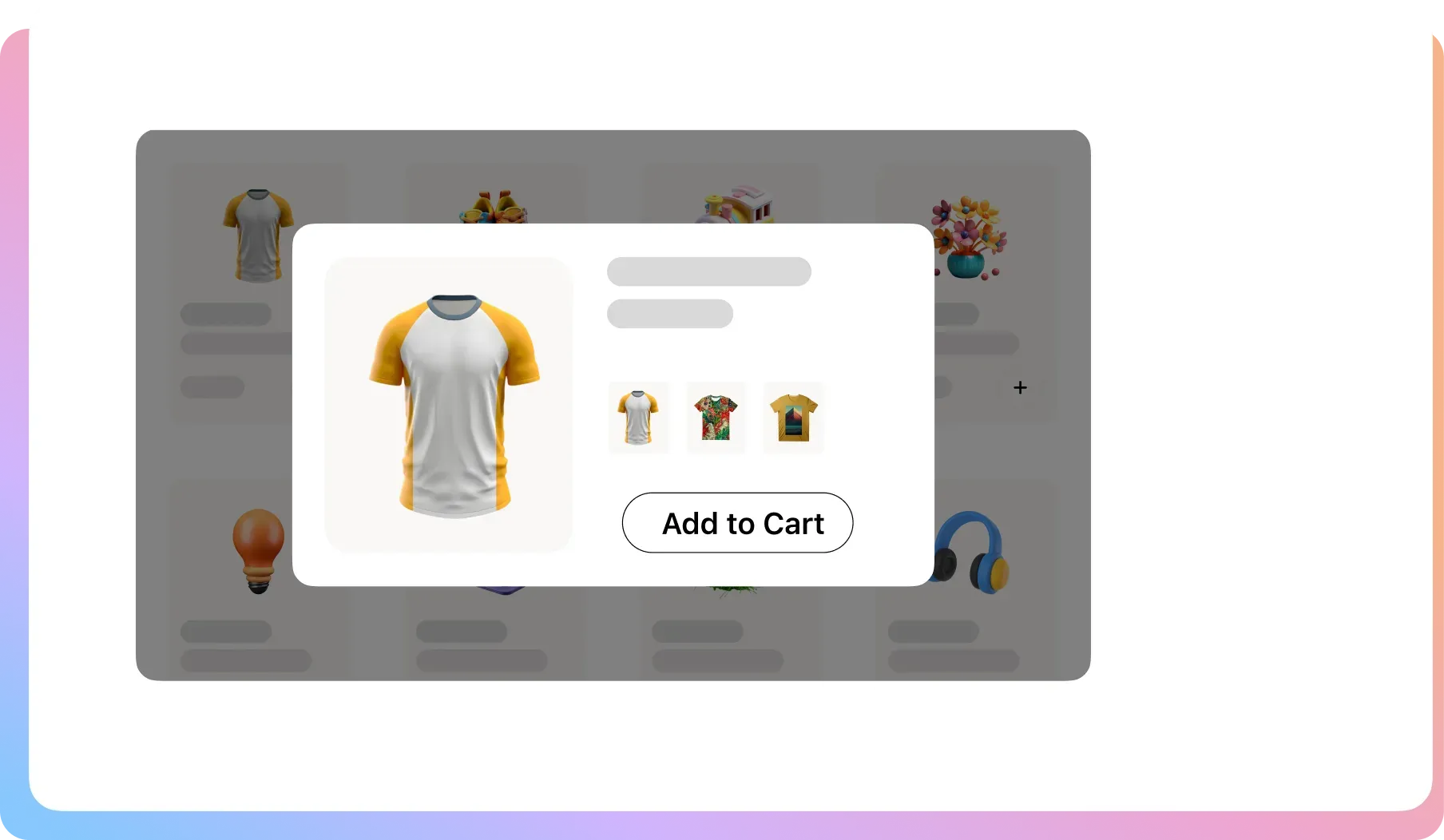
Every extra page load is a chance to lose a sale. Quick View lets customers shop your entire catalog from one page, reducing friction.
The Ultimate Friction-Reduction Toolkit
Get all the features you need to build a faster, smoother,
and more enjoyable browsing experience for your customers.
Mobile Optimized
It’s fully responsive and can be enabled or disabled specifically for your mobile visitors.
Modal Content Control
You choose what product details to show in the popup, including the title, price, description, and more.
Image Zoom
Allow customers to get a closer look with a zoom box for your product images inside the Quick View popup.
Slick Animations
Select from multiple animation effects for how the modal appears, such as “3D unfold” or “zoom out.”
Post-Add Action
Choose what happens after a customer adds an item. Redirect to the cart or close the modal to continue shopping.
AJAX Add to Cart (Pro)
Eliminate page reloads. When a customer adds an item, the cart updates instantly in the background for the fastest experience.
Button Control
Customize the Quick View button’s label, position, and colors to perfectly match your WooCommerce theme.
Modal Styling
Adjust the modal’s background color and, with Pro, customize the color of the navigation arrows inside the popup.
Button Options (Pro)
Position the button in the center of the image, use a simple icon, or add a separate “View Details” button.
Reduce Clicks, Increase
Conversions
A smooth shopping experience is a profitable one. The more you make a customer wait for pages to load, the more likely they are to simply give up and leave. Here’s how you make your store faster and easier to browse.
The Tedious Cycle of Clicking Back and Forth
ProblemCustomers click a product, wait for it to load, hit “back,” and wait again. This “pogo-sticking” causes fatigue.
The FixQuick View ends this. Customers see product details in a fast popup, never losing their place on the shop page.
Your “Add to Cart” Kills the Shopping Flow
ProblemMany quick view tools still force a full page reload on “Add to Cart,” yanking customers out of the buying flow.
The FixPro features seamless AJAX Add to Cart. The cart updates instantly with no page reload, for a modern, fluid experience.

Your Clean Design Gets Ruined by Clunky Buttons
ProblemYou’ve perfected your product grid, but adding another “Quick View” button makes it look cluttered and messy.
The FixWe give you full control. Use a clean icon instead of text or show it only on hover to keep your design pristine.

FAQ
Check out our frequently asked questions. Feel free to Contact us if your question isn’t listed
What is “AJAX Add to Cart” and why is it so important?
AJAX Add to Cart is a Pro feature that allows customers to add a product to their cart without the page needing to reload. This is critical because it creates a seamless, uninterrupted shopping experience, which keeps customers Browse – and buying – more.
Does the Quick View popup work well on mobile phones?
Yes. The Quick View modal is fully responsive. You also have the option to disable it entirely for mobile users if you prefer a different experience for them.
Can I choose what information shows up in the popup?
Absolutely. You have full control and can choose to show or hide the product title, price, rating, short description, and the add-to-cart button.
Can I change the Quick View button to be a small icon instead of text?
Yes. The Pro version gives you advanced options, including the ability to use a simple icon for the button, which helps maintain a clean, minimalist look on your shop page.
How is this better than just letting customers click on the product?
It’s all about speed and reducing friction. Quick View allows a customer to evaluate multiple products in a fraction of the time because they don’t have to wait for a full product page to load and then hit the “back” button every single time. More products seen in less time equals more sales.

Ready to Create a Faster, Smoother Shopping Experience?
Join 10,000+ smart stores solving their biggest growth challenges. Get the results you want, risk-free for 14 days.