Notification Floating Bar
Offers That Capture Attention
A promotion is worthless if no one sees it. Our Floating Notification Bar makes your most important message impossible for any visitor to ignore.
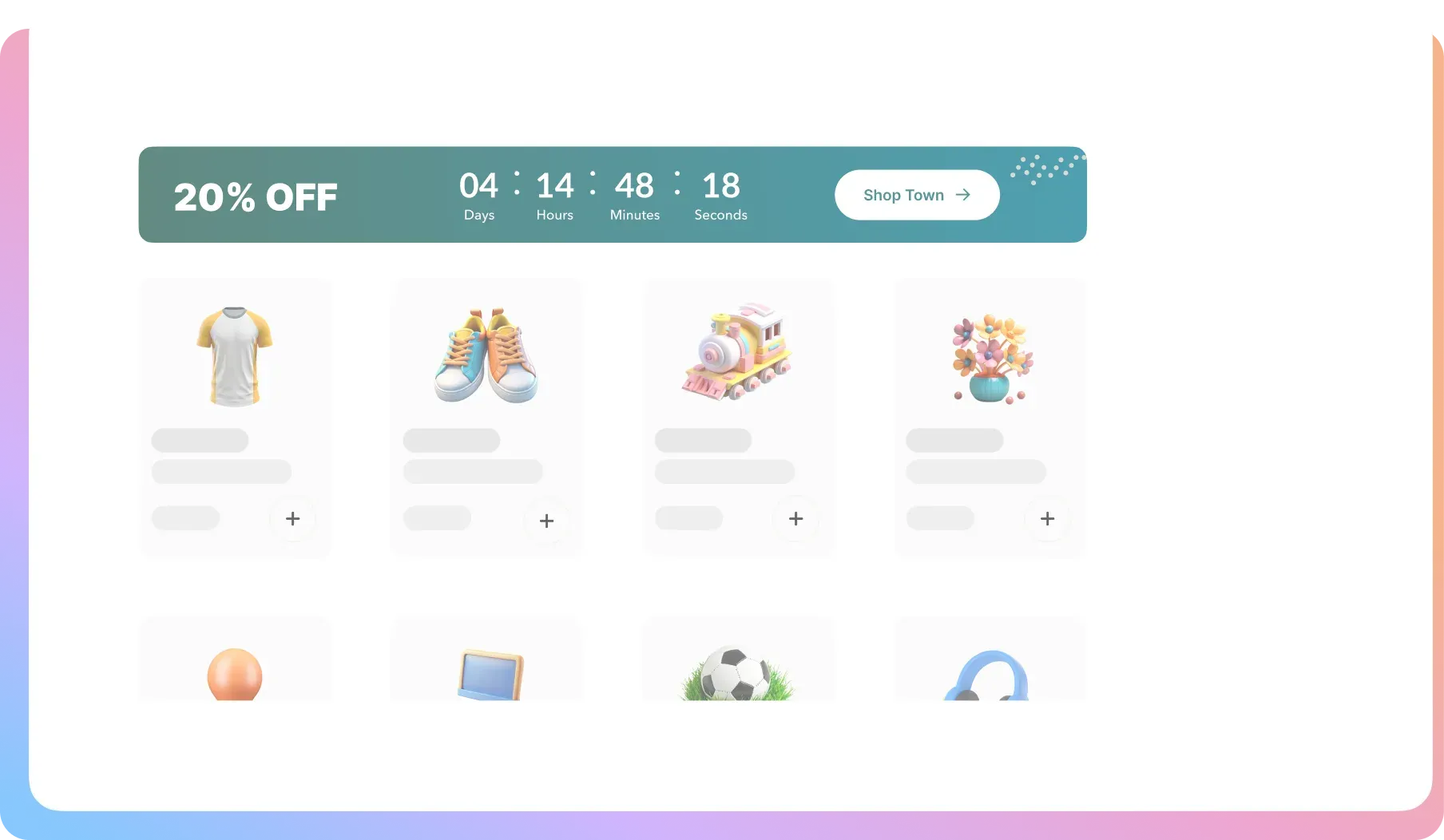
A Precision Tool for High-Impact Communication
You get total control to design, target, and automate your most important announcements with these features.
Sticky Behavior
Choose if the bar remains permanently visible as users scroll, or stays in a normal position.
Clickable CTA Button
Add a button to your bar with custom text that redirects to any URL or simply closes the notification.
Custom Text & Icon
Write any message you want and select from a library of icons to grab visitor attention.
Countdown Timer (Pro)
Add a live, ticking countdown timer directly within the bar. Set start and end dates to automate your flash sales.
Display Coupon Codes (Pro)
Showcase a coupon code textually inside the bar, making it easy for customers to see, copy, and use.
Advanced Positioning (Pro)
Place the bar at the top or the bottom of the page, depending on what works best for your site’s layout.
Smart Triggers (Pro)
Configure the bar to appear after a few seconds or after a visitor begins scrolling down the page.
Device & Page Targeting (Pro)
Show a different bar to mobile vs. desktop visitors. Display announcements only on specific pages or categories.
Complete Color Control
Adjust the colors of the bar background, text, icon, and buttons to perfectly match your brand’s aesthetic.
Custom Icons & Sizing (Pro)
Upload your own branded icon and get fine-tuned control over the banner’s height and font size for a pixel-perfect fit.
Stop Hiding Your Most
Profitable Messages
Your customers have banner blindness and are experts at ignoring website clutter. If your flash sales, free shipping thresholds, or special deals aren’t delivered in a clean, persistent way, you are leaving money on the table.
Your Announcements Blend Into the Background
ProblemYour “20% Off” graphic is just another piece of content on a busy page. Your most important message is invisible.
The FixOur bar sticks to the screen as users scroll. It stays in their line of sight, ensuring your message is always read.

Your Flash Sales Lack Real Urgency
ProblemA customer sees your “24-Hour Sale” once, but the urgency is forgotten by the time they are on a product page.
The FixPro lets you embed a live countdown timer in the bar. It follows the customer, constantly reminding them to act now.
You Make Customers Work to Use a Coupon
ProblemYou force customers to memorize or copy a coupon code. This friction leads to frustration and lost sales at checkout.
The FixPro lets you display the coupon code directly in the bar. It’s always visible, ready to be used at checkout.
FAQ
Check out our frequently asked questions. Feel free to Contact us if your question isn’t listed
Is the notification bar sticky? Will it stay on the screen?
Yes, you can choose. You can set it to sticky so it stays fixed to the top of the page as customers scroll, or you can set it as a normal banner that stays at the top of the page content.
Can I really put a live countdown timer in the bar?
Absolutely. This is a powerful Pro feature. You can set a start and end date, and the bar will automatically display a ticking countdown, creating massive urgency for your sales events.
Can I show a different bar on my mobile site?
Yes. The Pro version gives you device-level targeting, so you can create a unique, optimized notification bar specifically for your mobile visitors, or choose not to show one at all.
Can I schedule a bar to only appear during my weekend flash sale?
Yes. The Pro version’s countdown timer functionality allows you to set specific start and end dates. The bar will automatically appear when the sale begins and disappear when it ends.
Will this bar annoy my customers or get in the way?
It’s designed to be a sleek, high-impact tool, not an obnoxious popup. Because it’s a slim bar at the very top or bottom of the screen, it informs without interrupting the Browse experience. You also have full control over its appearance and behavior.

Ready to Make Sure Your Best Offers Actually Get Seen?
Join 10,000+ smart stores solving their biggest growth challenges. Get the results you want, risk-free for 14 days.