By Shakhawat Ullah
19 Min Read
10 Creative BOGO Deal Ideas to Increase Your WooCommerce Store Revenue
WooCommerce stores are full of discounts. 10% off for first-time buyers. 20% off for abandoned carts. 30% off during seasonal sales.
After a while, every offer starts to feel the same.
That’s the problem with plain coupons: shoppers understand them, but they don’t always feel exciting.
A BOGO deal changes the psychology of the offer. Instead of asking customers to calculate a percentage, it gives them something obvious – another product, a useful add-on, or a free gift.
The best BOGO deals are not random giveaways. They are structured around a clear goal. Increase order size, move slow inventory, introduce a new product, reward loyal customers, or make a bundle feel more valuable.
But BOGO can also go wrong fast.
In this blog, we’ll cover:
- Common BOGO campaign mistakes to avoid before you go live
- What BOGO deals are and how they work in WooCommerce
- Why BOGO offers can feel more compelling than regular discount coupons
- How to check your margins before launching a BOGO campaign
- 10 creative BOGO deal ideas you can use in your WooCommerce store
- Real examples, use cases, and setup tips for each BOGO format
- How to create BOGO deals in WooCommerce using StoreGrowth
Excited? Let’s get started!
What Is A BOGO Deal
A BOGO deal gives shoppers a free or discounted item after they buy a qualifying product, quantity, category, or cart value.
BOGO stands for Buy One, Get One.
In WooCommerce, a BOGO coupon WooCommerce setup usually needs Buy X, Get Y logic. The shopper buys one product or quantity, then the cart qualifies for another product free or discounted.
Common BOGO formats include:
| BOGO format | Example | Good fit |
|---|---|---|
| Buy One Get One Free | Buy one body wash, get one free | High-margin repeat products |
| Buy One Get One 50% Off | Buy one lipstick, get the second 50% off | Margin-sensitive products |
| Buy 2 Get 1 Free | Buy two books, get one free | Stock-up or collection products |
| Buy X Get Y | Buy a coffee machine, get coffee sleeves free | Cross-sell offers |
| Spend X Get Y | Spend $75, get a free travel-size item | Raising average order value |
The core rule is simple: the customer takes a bigger cart action before the reward appears.
WooCommerce core supports percentage, fixed cart, and fixed product coupons in its native coupon settings, according to the official WooCommerce coupon documentation. True BOGO rules usually need extra conditional logic because the reward depends on what the shopper buys and what the store gives in return.
Use BOGO Deals Because Free Changes the Decision
BOGO deals work because shoppers react differently to extra value than they do to equivalent savings.
A Buy One Get One Free offer and a 50% off offer can produce the same per-unit price when the shopper buys two identical items. The math is the same. The feeling is not.
In a Journal of Marketing field study, it was found that a bonus-pack promotion sold 73% more units than a slightly better price discount, even though the price discount gave stronger economic value. The study helps explain why shoppers often respond faster to extra quantity than to percentage savings.
The zero-price effect also matters. Marketing Science showed that people treat free products as more attractive than a standard value calculation predicts. Free reduces the feeling of risk.
For WooCommerce stores, this gives BOGO three practical uses:
- Raise order size because shoppers usually need to add more than one item.
- Move slow inventory without cutting the main product price.
- Protect price anchors because the paid item can stay at full price.
BOGO is not a guaranteed revenue lever. It still needs clean margin math, clear rules, and careful product pairing. But for many consumer products, it gives shoppers a clearer reason to add one more item than a plain discount banner.
Check Your Margins Before You Launch A BOGO Deal
A BOGO deal only works when the numbers still make sense after the reward is included.
Before you launch any BOGO campaign, check product margin, shipping cost, stock level, and repeat purchase potential. A free item is not free for the store. It has product cost, packaging cost, and sometimes extra shipping cost.
Use this quick margin guide:
| Product margin | Safer BOGO type | Risk note |
|---|---|---|
| Above 60% | Buy One Get One Free | More room to fund the free item |
| 40% to 60% | Buy One Get One 50% Off | Strong offer, better margin protection |
| Below 40% | Fixed discount or gift with purchase | A full free item can erase profit |
Also check whether the customer naturally wants more than one unit.
BOGO works well for skincare, supplements, coffee, apparel basics, accessories, snacks, pet products, books, and other products people buy in multiples.
It is weaker for heavy, low-margin, expensive, or one-time-purchase products.
Try These 10 Creative BOGO Deal Ideas
The right BOGO deal idea depends on the job you want the promotion to do: clear stock, raise order value, introduce a new product, reward loyal customers, or increase product trial. Understanding your needs will help you choose the BOGO promotion in your store.
1. Run a Classic Buy One Get One Free Deal
Use a classic BOGO Free deal when the offer must be simple, fast, and easy to promote.
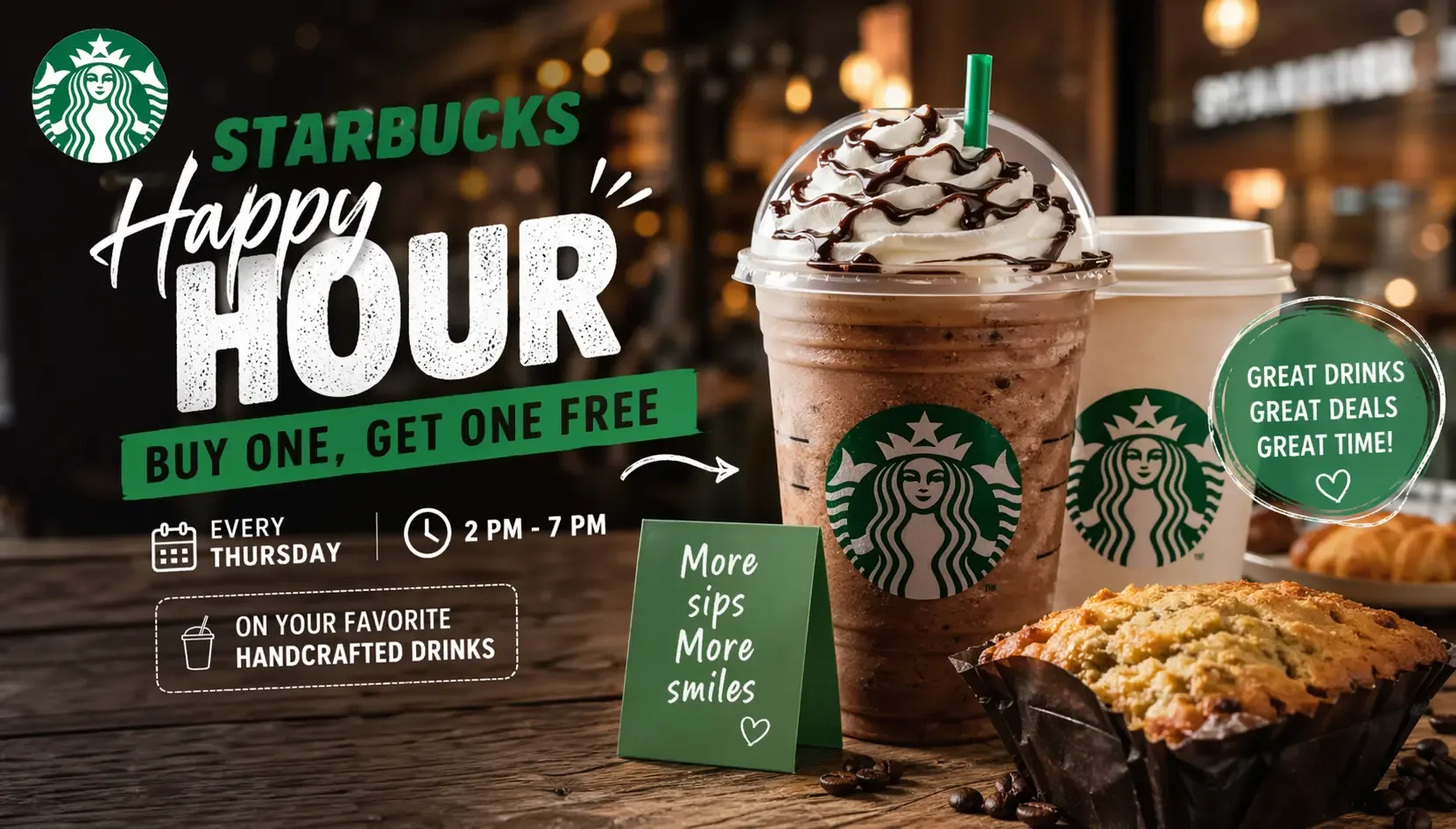
Real-world pattern: Starbucks Happy Hour is a clear example of simple BOGO framing. Its Happy Hour terms describe select Thursday offers where customers buy a qualifying handcrafted drink and get a second drink of equal or lesser value free. The offer also uses a narrow time window, app alerts, exclusions, and one-time redemption rules.
WooCommerce move: Use this format for high-margin products that shoppers can use again, gift, or share. Good fits include body wash, socks, snacks, protein bars, candles, pet treats, and seasonal accessories. Make the rule visible on the shop page, product page, cart, and checkout.
Value tip: Keep the rule narrow. Same product BOGO Free works better when inventory and margins are clear. If you apply it to the full catalog, one low-margin product can turn a strong campaign into a profit leak.
Measure: Units per order, gross profit per order, inventory sold, and repeat purchase rate after the campaign.
2. Protect Margin With Buy One Get One 50% Off
Use Buy One Get One 50% Off when a free second item would cut too deep into profit.
Real-world pattern: Ulta Beauty regularly runs Buy 1 Get 1 50% Off promotions by brand or category. One L’Oreal promotion showed eligible haircare, haircolor, and skincare products with the offer applied to many items, not the entire store. That is the important lesson: category-limited BOGO protects margin better than open-ended discounting.
WooCommerce move: Use this for apparel, footwear, bags, cosmetics, oral care, haircare, and wellness products with variants. It is also a safer answer when store owners ask about 50 off in WooCommerce because the discount only appears after the first item qualifies the cart.
Value tip: Apply the discount to the equal-or-lower-priced item. That one rule protects the store when shoppers mix a low-cost product with a premium product.
Measure: Average order value, margin after discount, variant mix, and coupon stacking behavior.

3. Raise Order Size With Buy 2 Get 1 Free
Use Buy 2 Get 1 Free when your goal is a larger cart, not only a quick conversion.
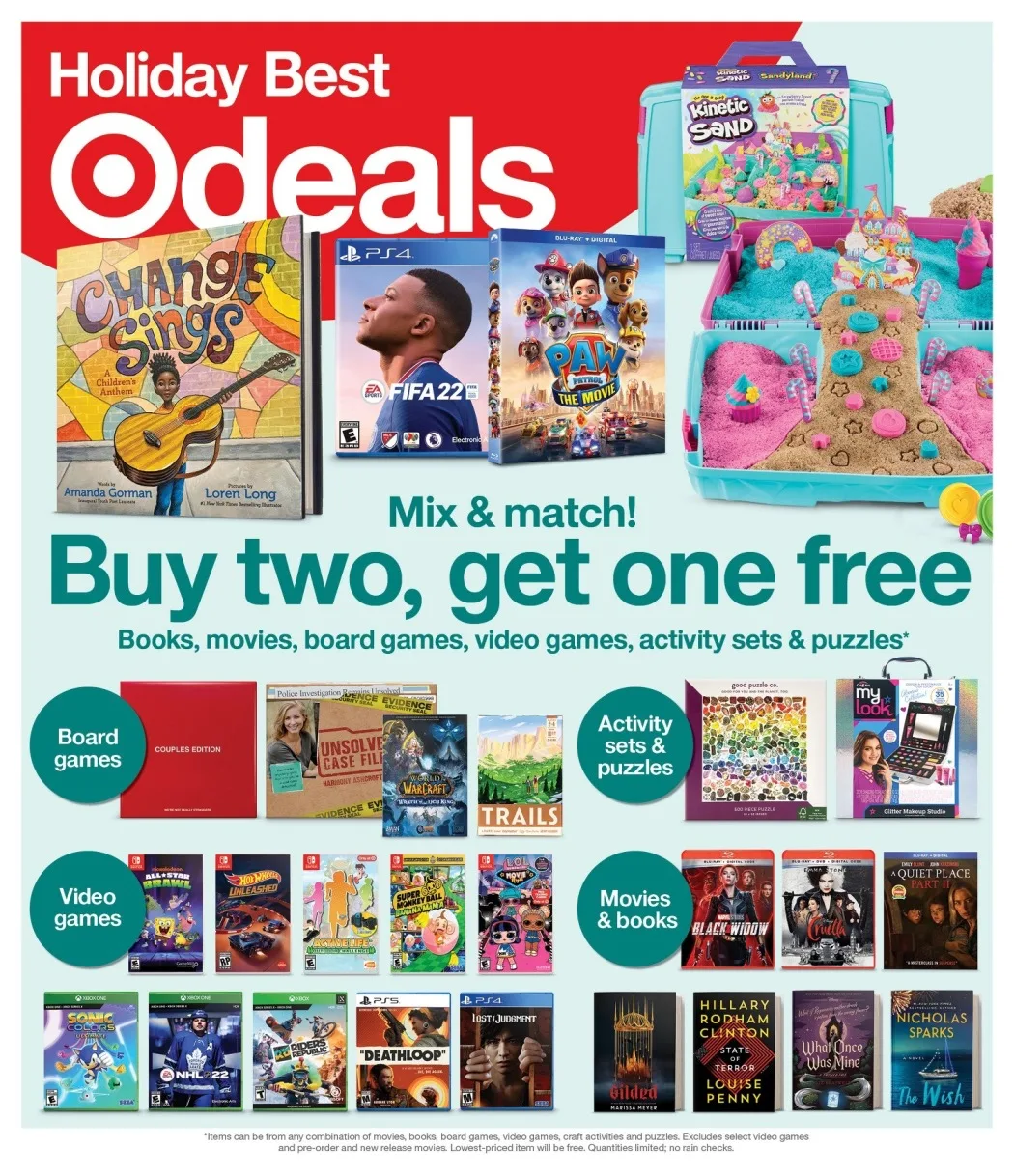
Real-world pattern: Target runs Buy 2, Get 1 Free promotions on select books, movies, and music. This format works because shoppers can build a set. A reader may buy three books. A movie buyer may add a third title. The reward increases units per order without marking every item down.
WooCommerce move: Use this for products shoppers like to collect, restock, or mix across variants: books, notebooks, coffee flavors, skincare, socks, craft supplies, candles, and snack packs. StoreGrowth’s BOGO feature page notes that minimum purchase quantity is a Pro control, which can support tiered offers such as Buy 2 Get 1 Free.
Value tip: Make the third product a natural add-on, not a random leftover. If shoppers need to force the third item, the campaign will feel like work.
Measure: Units per transaction, average order value, percentage of carts reaching three items, and the margin on the free item.
4. Make the Second Item $1 or One Penny
Use a tiny fixed-price second item when Buy One Get One Free feels too common.
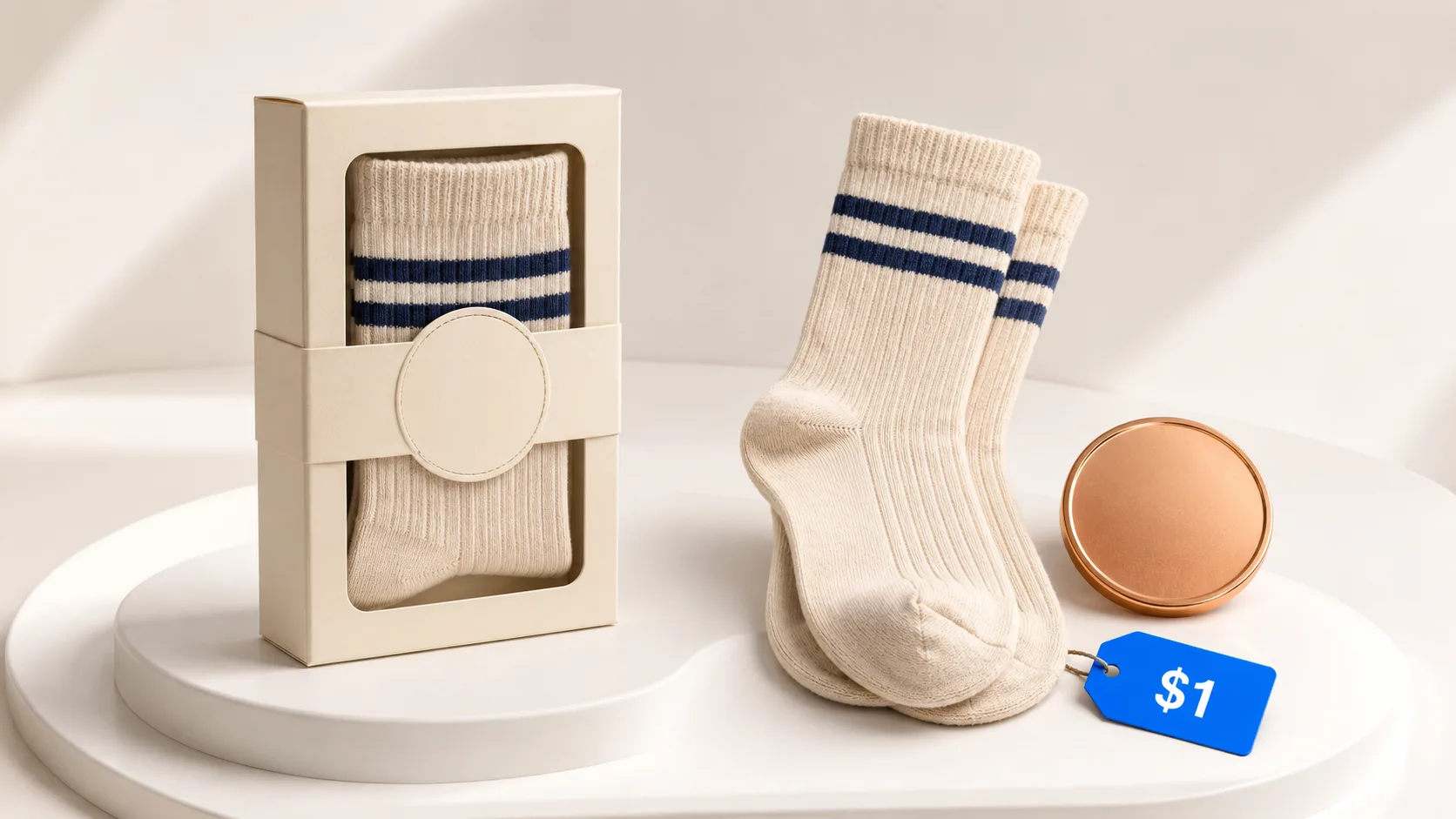
Real-world pattern: JCPenney’s Penney Days campaign included one-cent offers and buy-one-get-one-for-a-penny deals on selected store-brand items. The penny did not change the economics much, but it changed the message. It turned the second item into a memorable hook.
WooCommerce move: Test this with small accessories, snacks, low-cost beauty items, stickers, refills, or branded merch. The copy is simple: buy one, get the second for $1. This is often easier to understand than a 35% or 40% second-item discount.
Value tip: Use this as a short campaign, not a permanent offer. The novelty is the point. If it runs every week, it becomes another expected discount.
Measure: Product page click-through rate, cart add rate, redemption rate, and profit after shipping.
5. Let Shoppers Mix and Match Within a Category
Use mix-and-match BOGO when shoppers want choice.
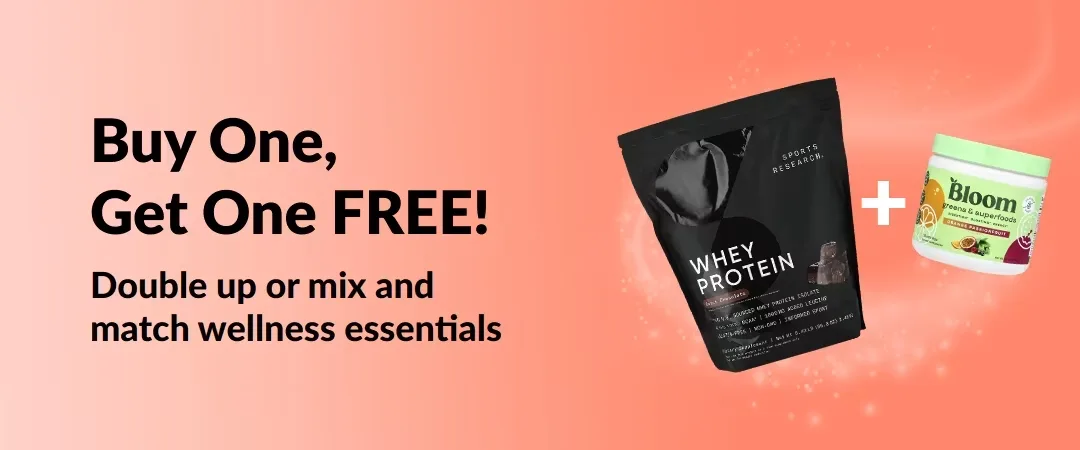
Real-world pattern: iHerb’s BOGO rules explain that shoppers must add both eligible items to the cart, the discount applies to the equal-or-lower-priced item, and only marked items qualify. That is a strong operating model for WooCommerce stores because it handles choice while protecting the store from expensive item giveaways.
WooCommerce move: Apply this to one category at a time: summer skincare, coffee flavors, T-shirt colors, jewelry styles, snack varieties, or pet toy collections. If you already sell kits or grouped products, connect the offer to your bundle strategy. StoreGrowth has a guide on product bundles in WooCommerce for that next step.
Value tip: Put the eligible products on one landing page or category page. Do not make shoppers hunt for the second item.
Measure: Eligible category revenue, number of mixed-product carts, lower-priced item cost, and conversion rate from the promo page.
6. Cross-Sell With Buy X Get Y
Use Buy X Get Y when you want to promote a related product without discounting the main product.
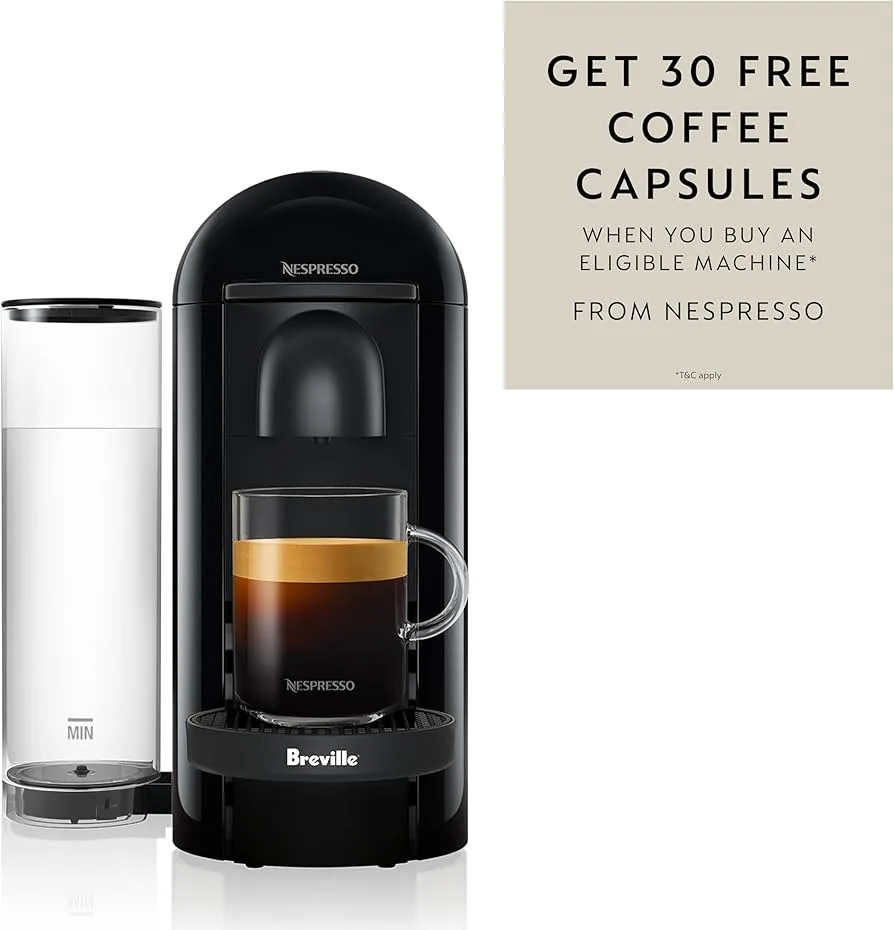
Real-world pattern: Nespresso offer pages show this logic in practice. One offer lists a free Vertuo Next machine after buying 35 Vertuo sleeves, plus a Buy 9 sleeves, Get 2 Free structure. The reward is tied to a product ecosystem. The shopper does not only get a discount. They get a more complete usage path.
WooCommerce move: Pair products that solve the same job. Buy a yoga mat, get a resistance band. Buy shampoo, get conditioner 50% off. Buy a phone case, get a screen protector. Buy a coffee machine, get beans. StoreGrowth’s BOGO docs describe Buy X Get Y as a supported BOGO deal type, where the customer buys one product and receives a different product free or discounted.
Value tip: Pick a reward product that increases product success. If the free item helps the buyer use the main product better, the offer feels useful instead of cheap.
Measure: Attachment rate, main product conversion rate, reward product reorder rate, and return rate.
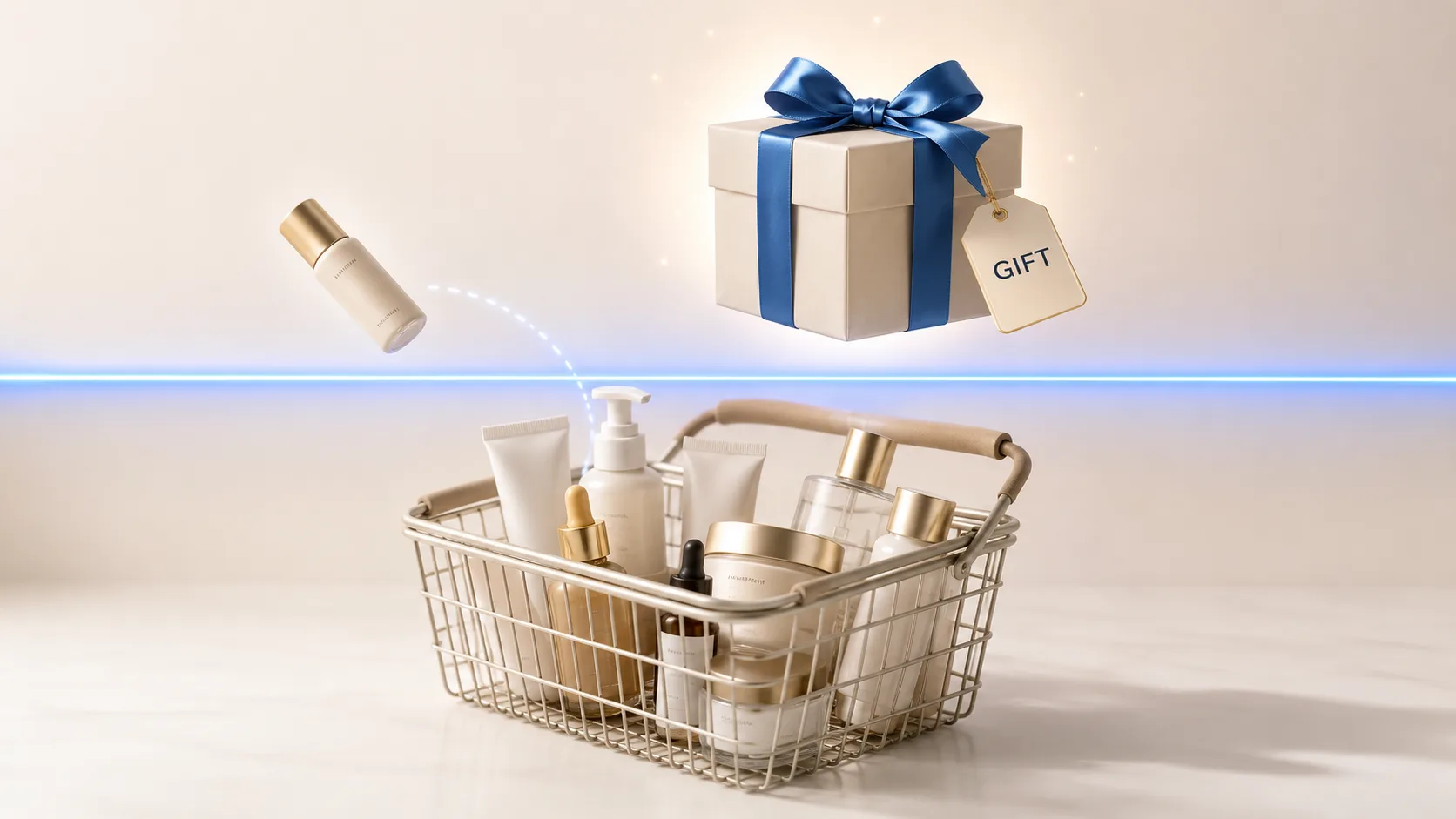
7. Use a Spend Threshold With a Free Gift
Use a threshold gift when your main goal is average order value.
Real-world pattern: Free-shipping threshold research is useful here because it studies the same behavior: shoppers add more to reach a reward. Cachon, Gallino, and Xu’s free-shipping threshold model accounts for order padding, where customers add items to a basket to qualify for a threshold reward. For gifts, the same logic applies: the threshold needs to sit close enough to the current cart value to feel reachable.
WooCommerce move: Set the threshold slightly above your current average order value. If your average order is $62, test a $75 gift threshold before jumping to $100. Then choose a gift that fits the cart: travel-size serum for skincare, a sample pack for coffee, or a pen set for stationery.
Value tip: Avoid random gifts. The gift should make the main order feel better, not like a stockroom cleanout.
Measure: Orders just below and above the threshold, added items per order, gift cost, and gross profit after shipping.
8. Tie BOGO to a Seasonal Moment
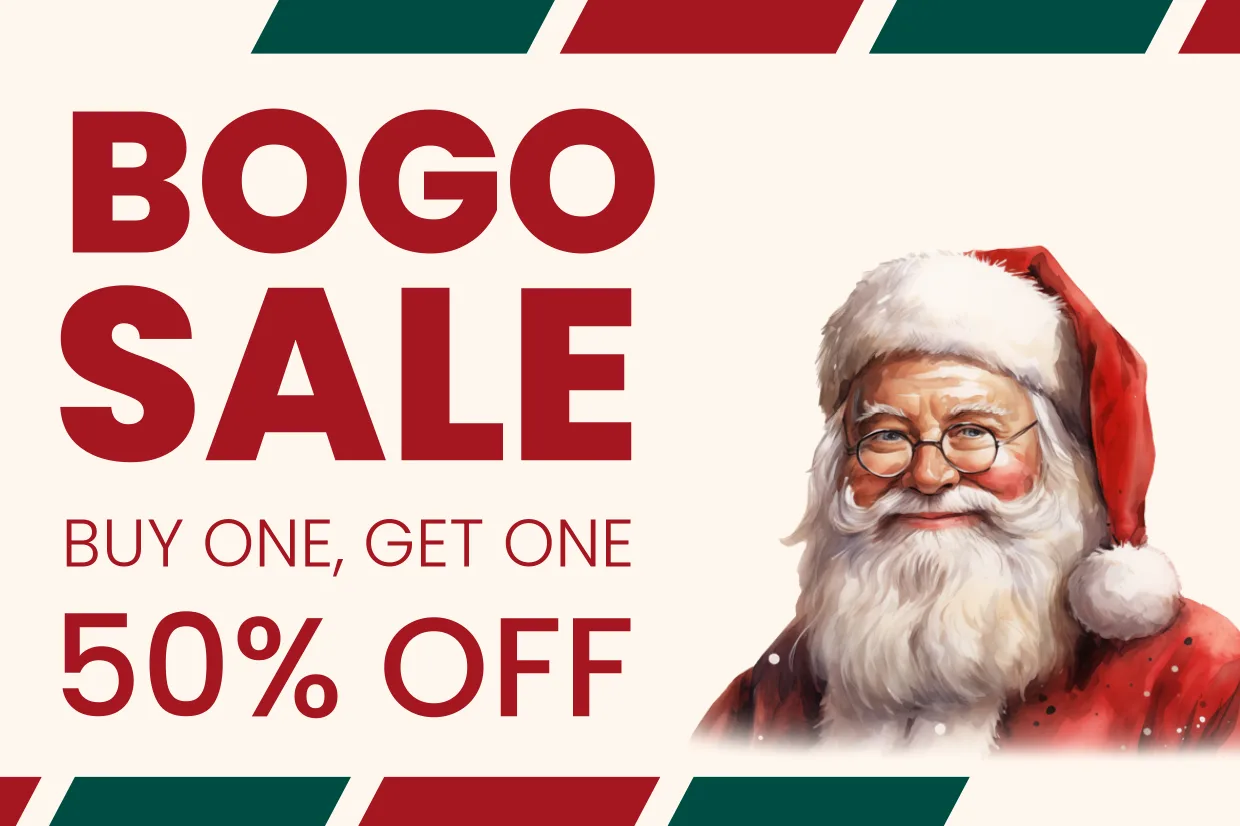
Use seasonal BOGO when the buying moment gives the offer a clear reason to exist.
Real-world pattern: Target’s Buy 2, Get 1 Free entertainment promotions work because the timing and category match stock-up behavior. Books, movies, and music fit gifting, school breaks, holidays, and collection-building. The promotion is easy to explain and easy to browse.
WooCommerce move: Build seasonal BOGO around the product calendar. Back-to-school notebooks. Valentine’s Day candles. Mother’s Day skincare. Summer travel minis. New Year supplements. Black Friday bundles.
Value tip: Add a clear start and end date. StoreGrowth’s BOGO feature page notes that Pro users can schedule start and end dates for BOGO promotions, which helps store owners plan event-based campaigns ahead of time.
Measure: Seasonal category revenue, email click rate, deadline-day sales, and inventory left after the campaign.
9. Reward Loyalty Members With a Private BOGO
Use a loyalty BOGO when you want the offer to feel earned instead of public.
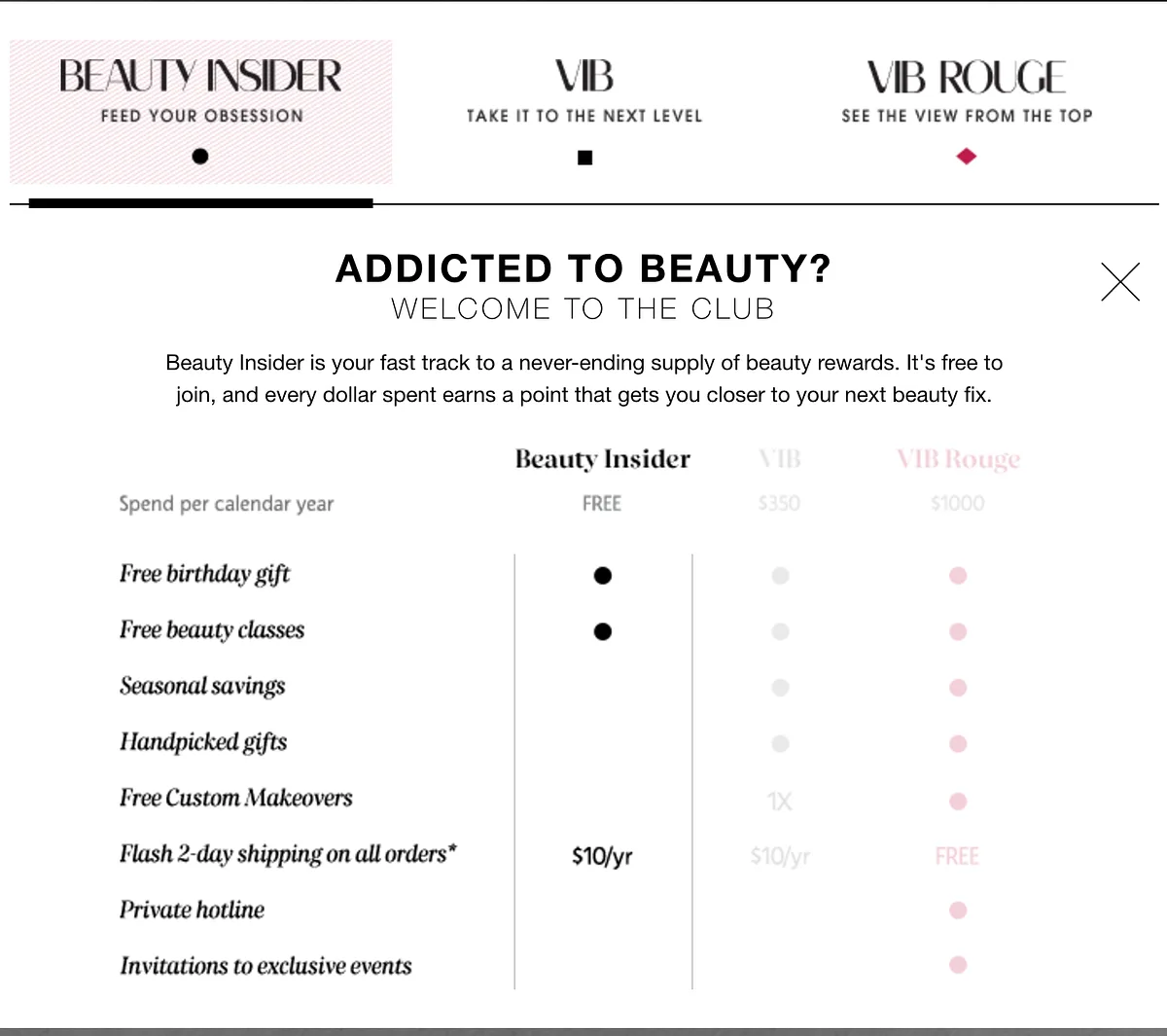
Real-world pattern: Sephora’s Beauty Insider program shows how valuable member-only rewards can become. Sephora reported that Beauty Insider reached more than 45 million members in North America in 2025, and its birthday gift program gives members a free gift option tied to their account. Starbucks also reported 35.5 million 90-day active Rewards members in the U.S. in Q1 FY26, with Rewards members driving nearly 60% of U.S. company-operated revenue in fiscal 2025.
WooCommerce move: Offer private BOGO access to returning customers, email subscribers, VIP buyers, referral customers, or birthday segments. Example: VIP members get Buy One Get One 50% Off for 48 hours.
Value tip: Do not make every offer public. A private BOGO can protect your price anchor while making loyal customers feel recognized.
Measure: Repeat purchase rate, email revenue per recipient, loyalty segment conversion, and unsubscribes after the campaign.
10. Offer a Post-Purchase BOGO Upsell
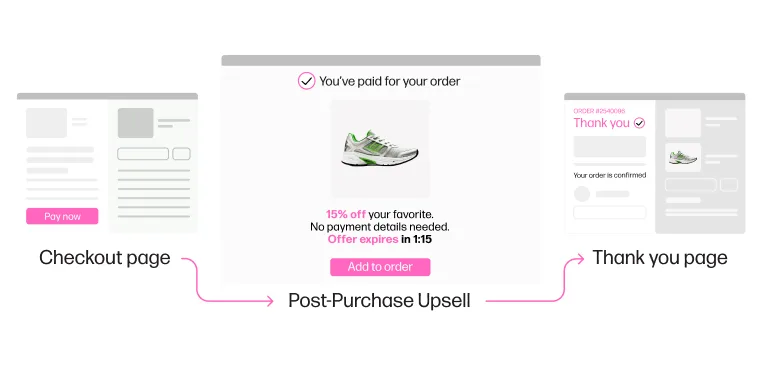
Use post-purchase BOGO when you want to raise order value after the first sale is already complete.
Real-world pattern: Nosto’s JENNY BIRD case study shows why post-purchase offers deserve attention. JENNY BIRD used post-purchase upsell personalization and reported a 13% increase in accepted upsell orders compared with its previous provider. Among shoppers who accepted the offer, Nosto reported a 58% average order value uplift and an added $130 per order on average.
WooCommerce move: After checkout, offer a second unit, refill, accessory, or variant at a special price. This works for supplements, skincare, pet products, snacks, digital templates, jewelry, and refill products.
Value tip: The post-purchase offer must feel like a natural extension of the order. If someone buys earrings, a matching bracelet may work. If someone buys dog food, a treat pack may work. A random product will feel like a distraction.
Measure: Offer acceptance rate, added order value, fulfillment complexity, refund rate, and whether the offer affects future repeat purchase behavior.
How To Create a BOGO in WooCommerce
WooCommerce can create standard coupons, but true BOGO rules usually need a plugin with conditional offer logic.
The native coupon system handles percentage discounts, fixed cart discounts, and fixed product discounts. A true BOGO needs logic such as: if the cart contains Product A, then add or discount Product B.
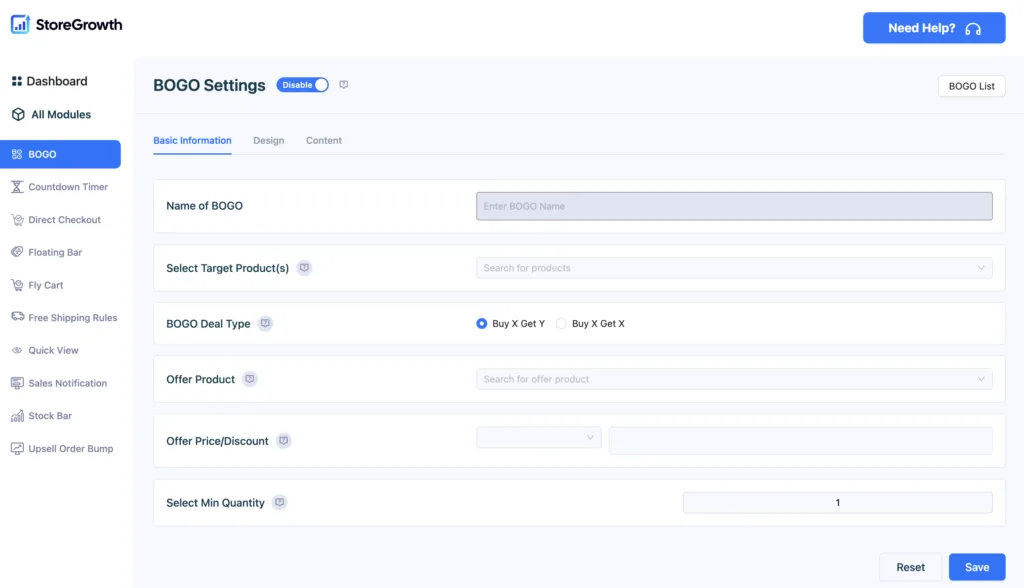
Plugins like StoreGrowth makes it easy to do exactly this. With StoreGrowth, the high-level setup is:
- Turn on the BOGO module from the StoreGrowth modules screen.
- Create a new BOGO deal.
- Choose the target product or category.
- Choose Buy X Get X or Buy X Get Y.
- Set the reward as free or percentage discount.
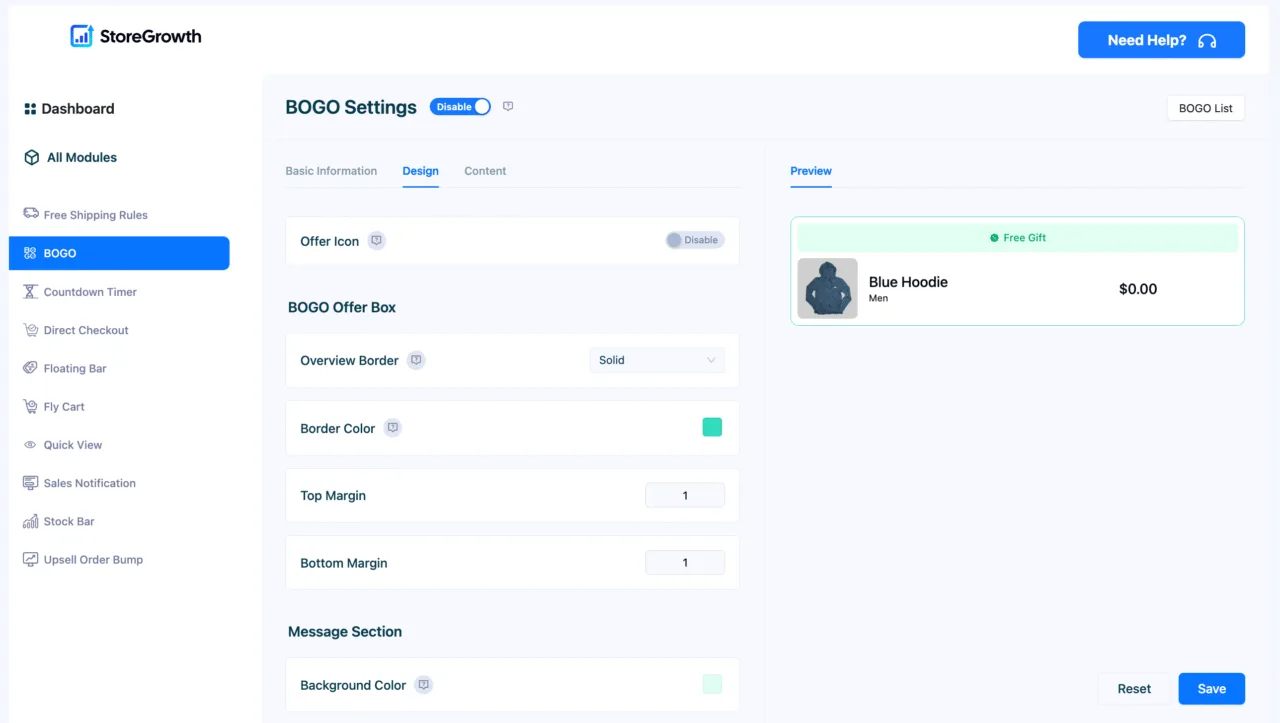
- Add messages or badges so shoppers see the offer.
- Set guardrails such as quantity, schedule, or exclusions when your plan supports them.
Test the rule before it goes live. Add the qualifying product to a real cart, check the reward item, review the side cart or mini cart, and confirm the checkout total. If your store is busy, test the campaign on a staging site first because cart and checkout changes can affect live orders.
For the full setup walkthrough, use the WooCommerce BOGO deal guide. It covers the steps in more detail.
Create BOGO Deals in WooCommerce with StoreGrowth
BOGO deals work best when they are simple, visible, and easy to apply. That is exactly where StoreGrowth fits.
Instead of piecing together separate plugins for discounts, cart logic, and promotional messaging, StoreGrowth gives you one streamlined way to create Buy One Get One offers that feel clear to shoppers and easy to manage for store owners.
With StoreGrowth, you can build BOGO deals around the exact goal you want to achieve, whether that is increasing average order value, moving more units per order, or promoting a specific product category.
You can set up classic Buy One Get One Free offers, Buy X Get Y rules, or percentage-based rewards, then display the offer where it matters most: on the product page, in the cart, and at checkout. That makes the promotion harder to miss and easier to act on.
For WooCommerce stores, that matters. A strong BOGO offer should not feel complicated. It should feel like a natural reason to add one more item to the cart.
StoreGrowth helps you create that experience without making your store more cluttered or harder to manage.
Avoid These Mistakes During Your Campaign
BOGO deals can help WooCommerce stores sell more per order, but the wrong setup can drain margin fast.
Avoid these mistakes:
- Running BOGO Free across low-margin products.
- Offering a free item that customers do not want.
- Making the rules hard to understand.
- Forgetting to show the offer on product and cart pages.
- Leaving the campaign open-ended.
- Letting shoppers stack BOGO with every other coupon.
- Ignoring shipping cost on the free item.
- Failing to compare revenue, gross profit, and units sold after the campaign.
Before you launch, write the offer in one sentence. If the sentence feels confusing, the shopper will feel it too.
A good BOGO offer is easy to say, easy to see, and easy to apply.
Frequently Asked Questions
What are the best BOGO deal ideas for WooCommerce stores?
The best BOGO deal ideas for WooCommerce stores include Buy One Get One Free, Buy One Get One 50% Off, Buy 2 Get 1 Free, second item for $1, mix-and-match BOGO, Buy X Get Y cross-sells, threshold gifts, seasonal BOGO, loyalty BOGO, and post-purchase BOGO upsells. The right choice depends on your margin, inventory, and campaign goal.
Can WooCommerce do BOGO sales?
WooCommerce core can create percentage, fixed cart, and fixed product coupons, but it does not offer full BOGO campaign logic as a standard coupon type. For a real BOGO sale, most stores use a plugin or custom rule system that can check cart conditions and apply a free or discounted product.
How do I set up a BOGO sale in WooCommerce?
To set up a BOGO sale in WooCommerce, use a plugin that supports conditional discount rules. Choose the qualifying product, choose the reward product, set whether the reward is free or discounted, then display the offer on the product page, cart, and checkout. StoreGrowth’s BOGO module supports this workflow for WooCommerce stores.
How do I make a BOGO coupon in WooCommerce?
To make a BOGO coupon in WooCommerce, you need more than a normal coupon code. The offer needs Buy X, Get Y logic, which checks what the customer buys before applying the reward. A BOGO plugin can apply the reward automatically or connect the offer to a coupon-style campaign.
Is BOGO better than 50% off in WooCommerce?
BOGO can work better than 50% off when your goal is higher order size, product trial, or faster inventory movement. A 50% off coupon can work better for single-item purchases, expensive products, or cart recovery. The stronger offer depends on the product, margin, and buying context.
What is WooCommerce dynamic pricing BOGO?
WooCommerce dynamic pricing BOGO means the store changes the price or reward based on cart conditions. For example, buying two products can qualify the cart for a third product free, or buying one category can qualify another category for 50% off. It is dynamic because the rule reacts to what is in the cart.
What is the best BOGO plugin for WooCommerce?
The best BOGO plugin for WooCommerce depends on the rules you need. Look for Buy X Get X, Buy X Get Y, product and category targeting, free or percentage reward options, visible product-page messages, cart testing, exclusions, and scheduling. StoreGrowth is one option for WooCommerce stores that want BOGO alongside related promotion tools.
Use BOGO Deals With a Clear Goal
BOGO deals are strongest when they are tied to one clear job.
Clear old stock. Introduce a new product. Raise average order value. Reward loyal customers. Move shoppers from one item to a fuller cart.
If you run a WooCommerce store, the goal is not to create the biggest discount. The goal is to create a useful offer that customers understand and your margins can support.
StoreGrowth helps WooCommerce store owners create BOGO deals alongside tools like order bumps, side cart, countdown timers, sales notices, and free shipping prompts. For more store-wide ideas, read 20 proven ways to increase WooCommerce sales, then build your next BOGO offer around one clear campaign goal.
Category:
Tags: