

Sync and manage your posts
This page shows you how posts get into your feed and how to choose which ones appear.
How syncing works
Section titled “How syncing works”Once an account is connected, FeedPulse pulls in your posts automatically. New posts you publish on Instagram or TikTok flow into the feed over time, so the feed stays current on its own.
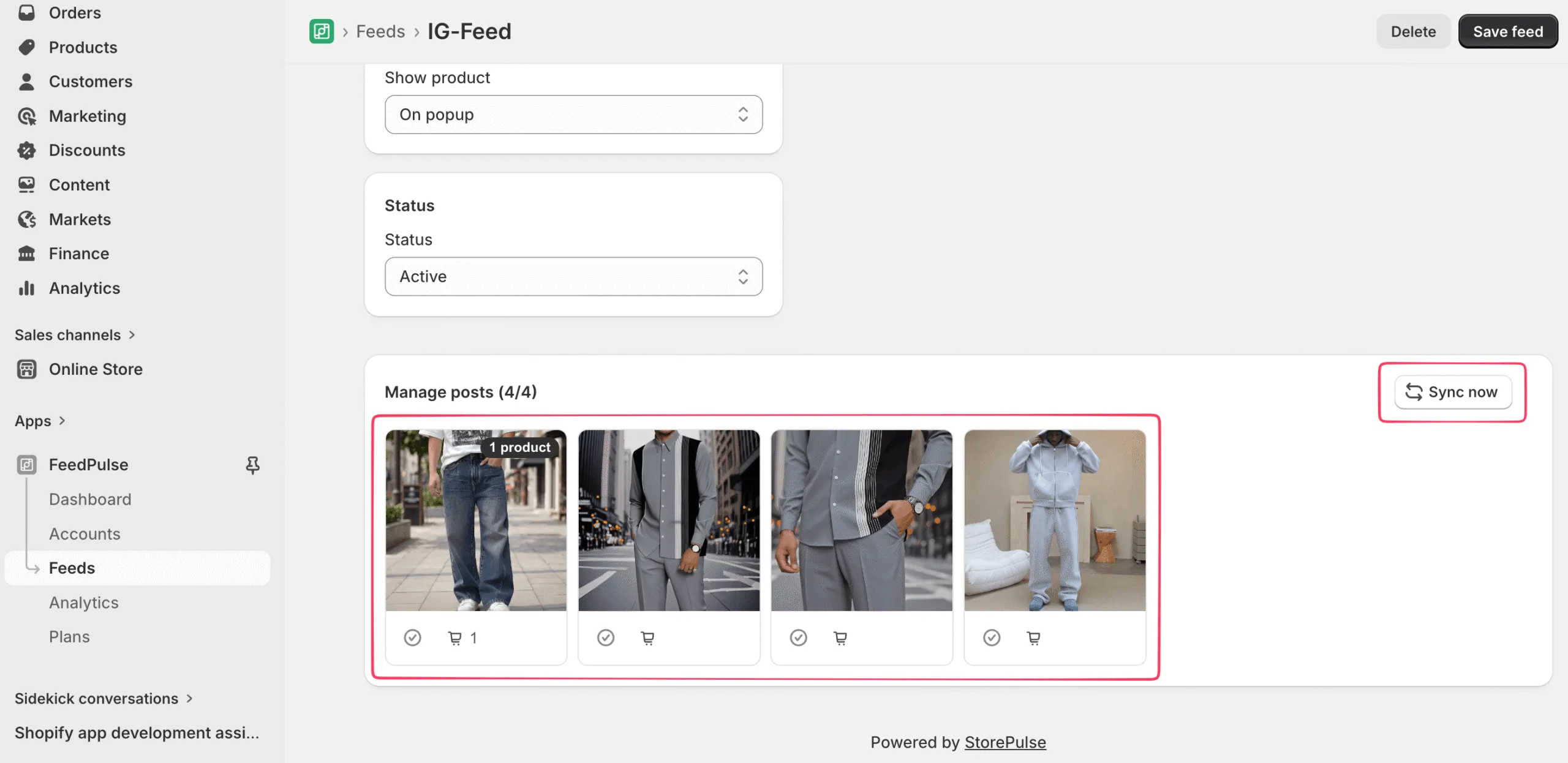
If you posted something recently and want it now, click Sync now at the top right of the Manage posts section. That forces an immediate pull from the social account.
Include or exclude posts
Section titled “Include or exclude posts”The Manage posts section, at the bottom of a saved feed, shows a grid of every post synced from the account. Each post card has two icons:
- A checkmark to include or exclude that post from the feed.
- A cart icon to tag products in that post.
You can let the feed run automatically with everything that syncs, or hand-pick exactly which posts show by toggling the checkmark on each one.
What’s next
Section titled “What’s next”Make your posts shoppable: Tag products to your posts.