

How to Enable Bulk Try On
If you have 1000+ products and don’t have time to enable the try-on option for every single product one by one, then you can use the Bulk Try On feature of the TryAura plugin.
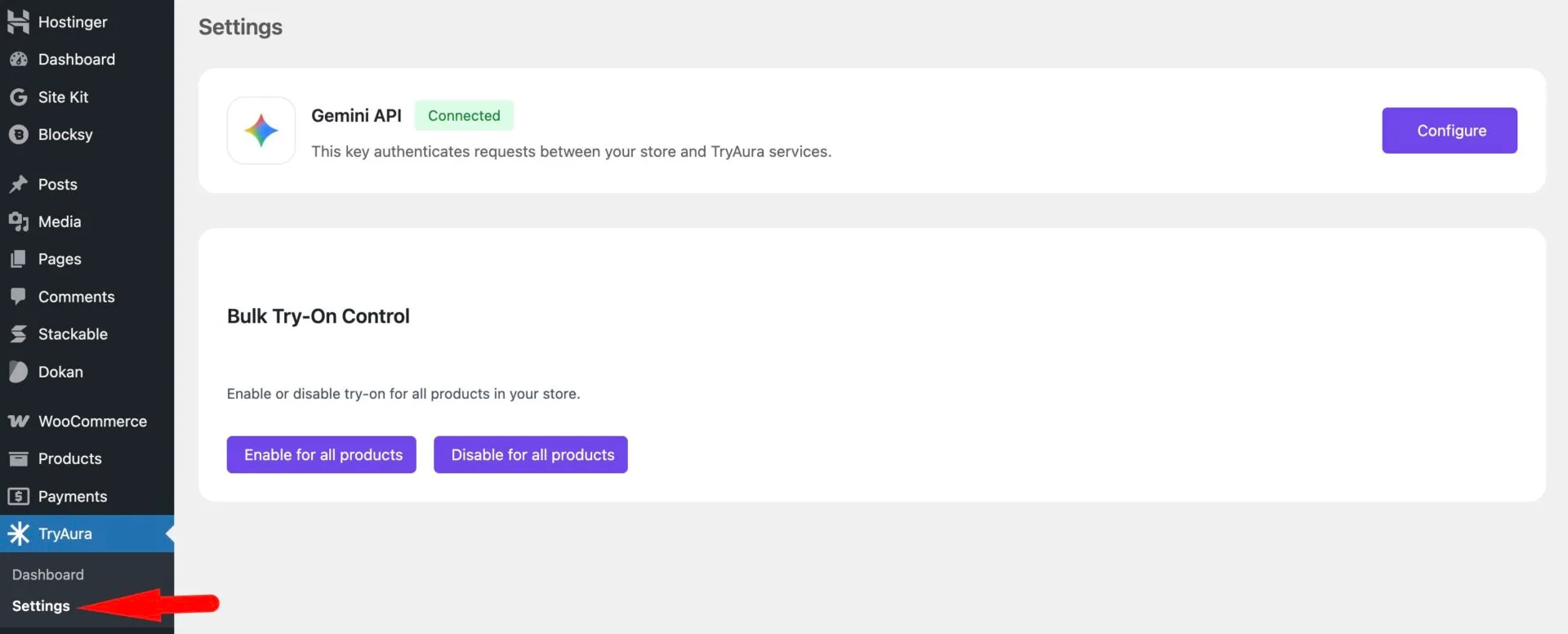
To do that, go to TryAura–> Settings.
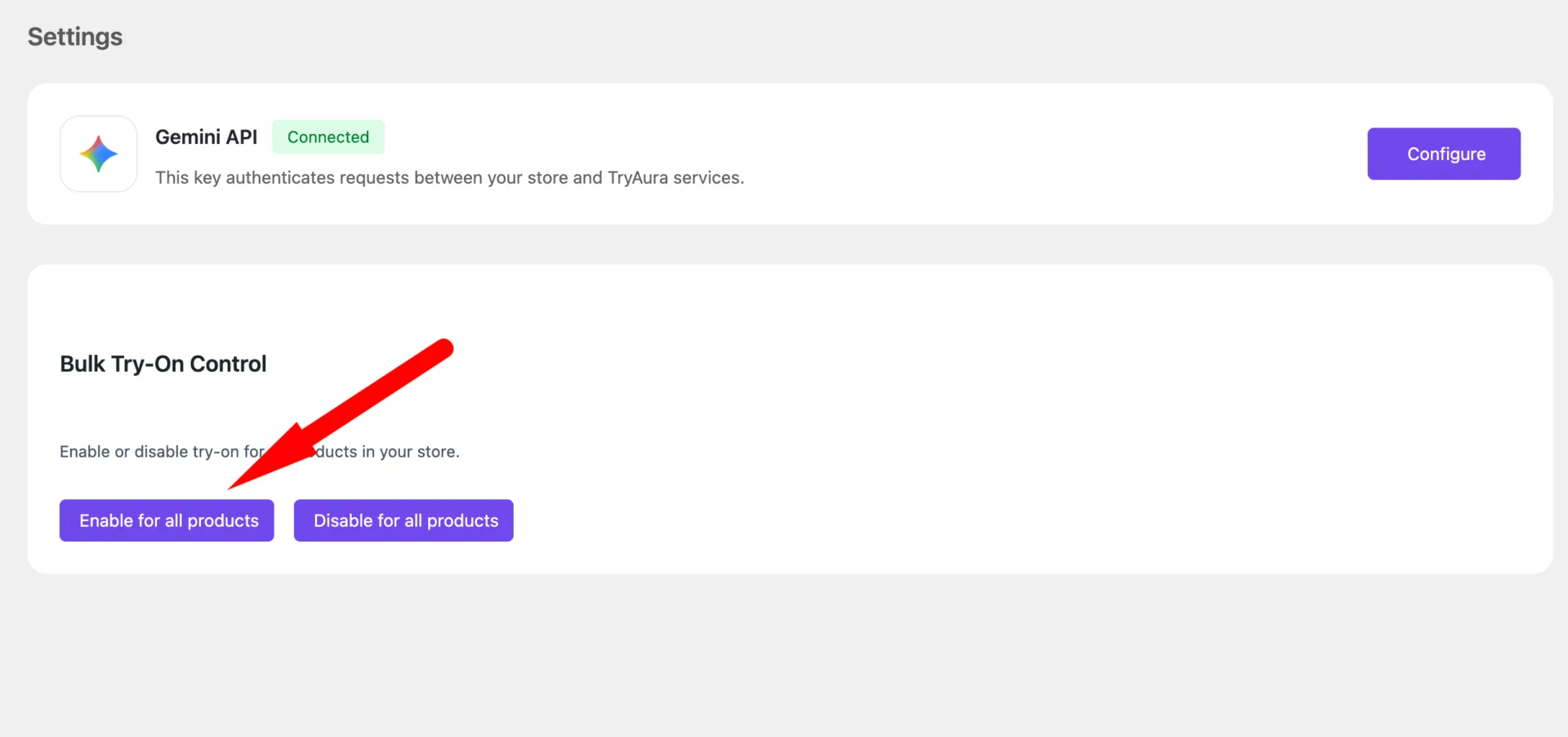
Now, click on the Enable for all products option-
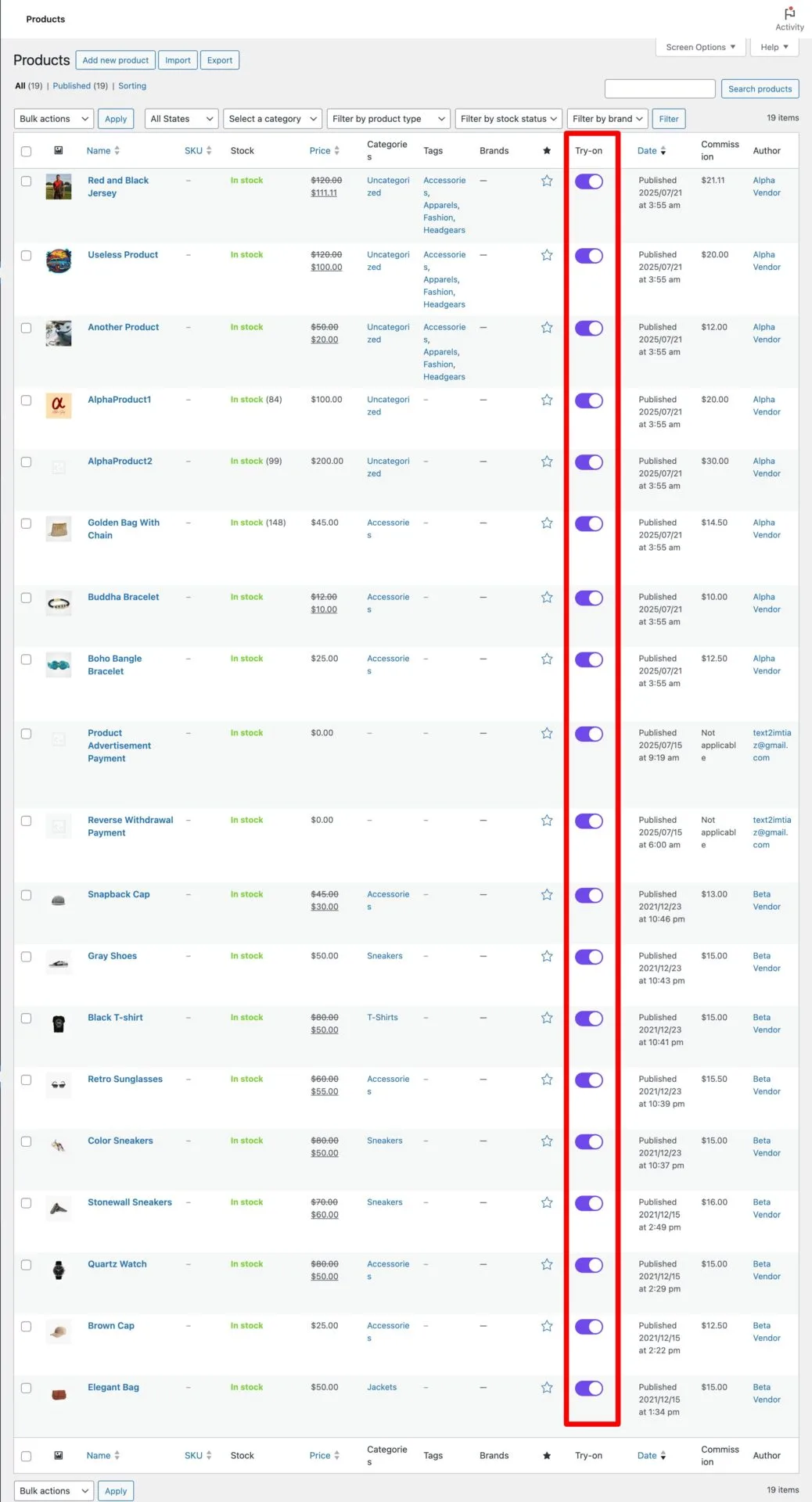
You will see all the products have Try On enabled-
This is how easily you can enable the bulk try-on option feature.