

Generating a Product Video in WooCommerce
TryAura lets you generate AI-powered videos for your products and show them in the WooCommerce product gallery.
To generate a video, you need to start from a product image.
Let’s go through the full process step by step.
Open the Product
Section titled “Open the Product”From your WordPress dashboard, go to Products → All Products .
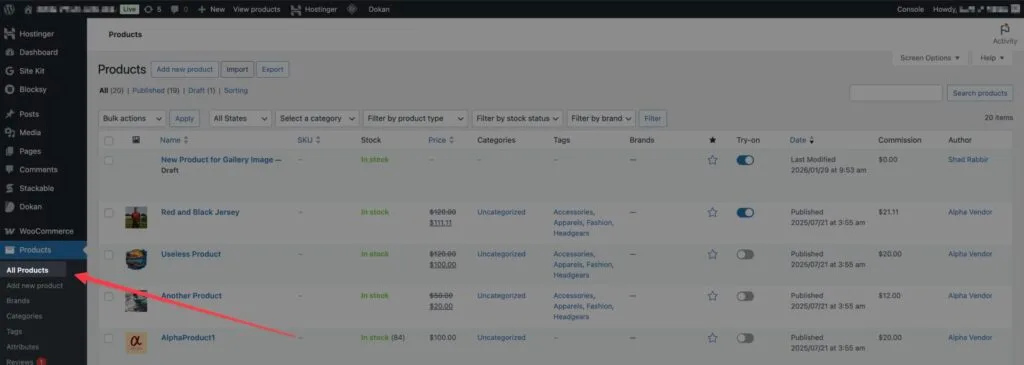
Now, find the product for which you want to generate the AI Video. Click on Edit.
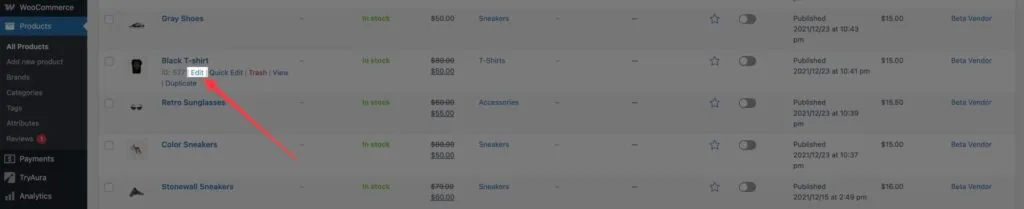
You will be now looking at the Edit Product screen, and we can generate our videos from here.
Start from an Image
Section titled “Start from an Image”Once in the Edit Product screen, you can click on the product featured image or the product gallery images.
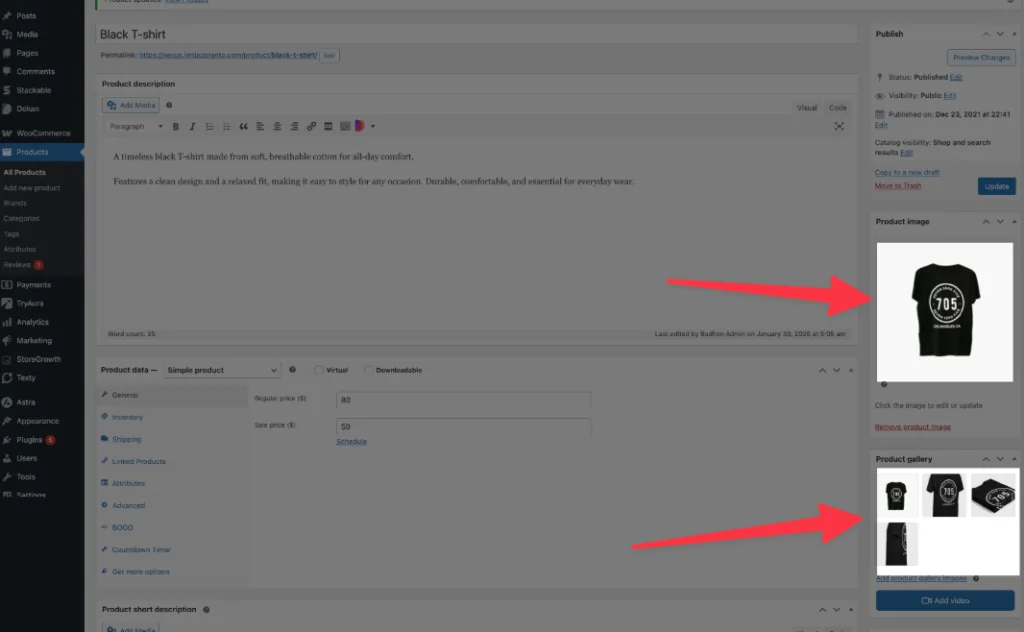
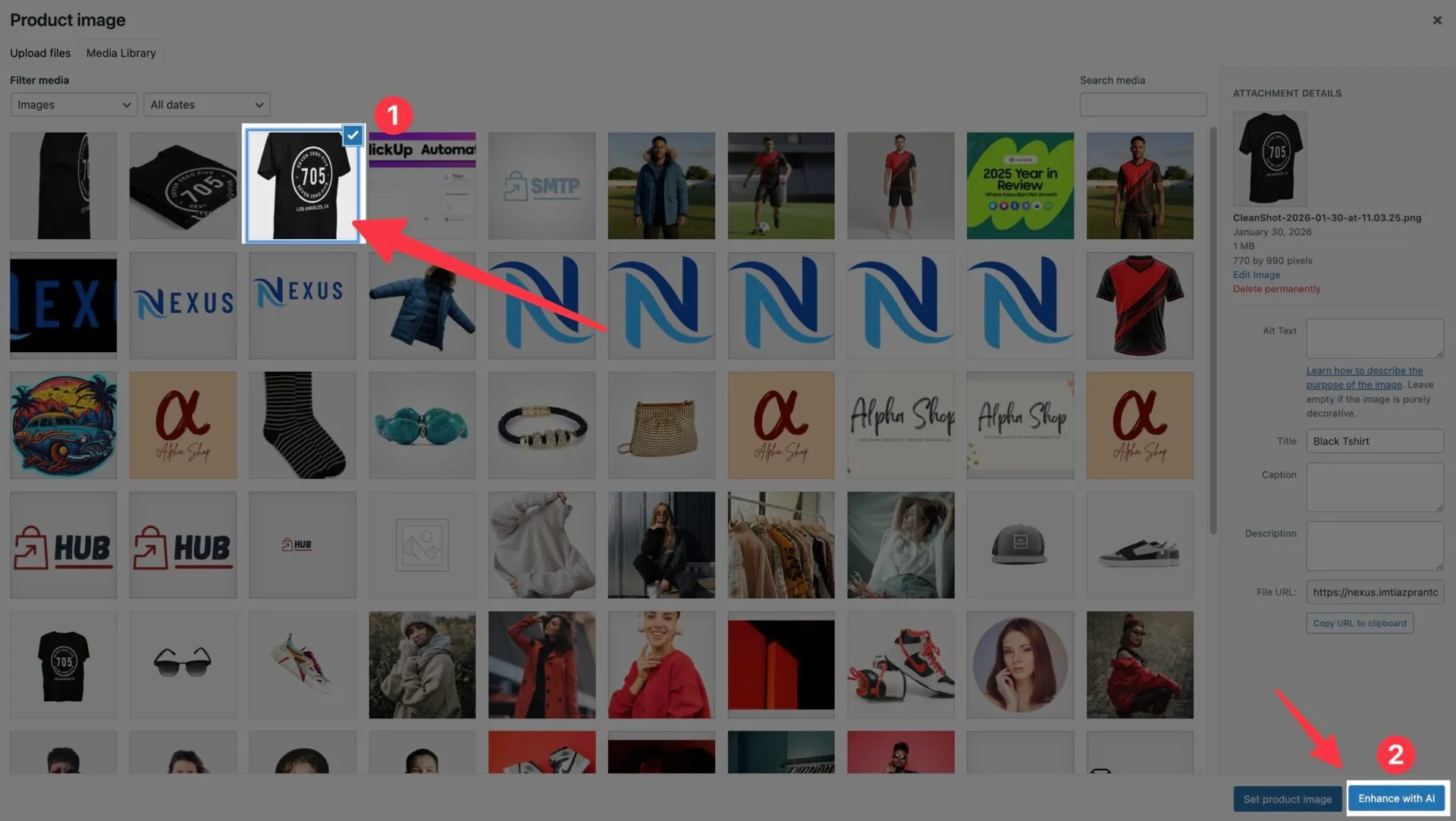
This opens the product gallery modal, and select any image to start. You will find a button introduced by TryAura, named Enhance with AI.
Generate Video
Section titled “Generate Video”Clicking on the Enhance with AI button will open this modal. Click on Generate Video.
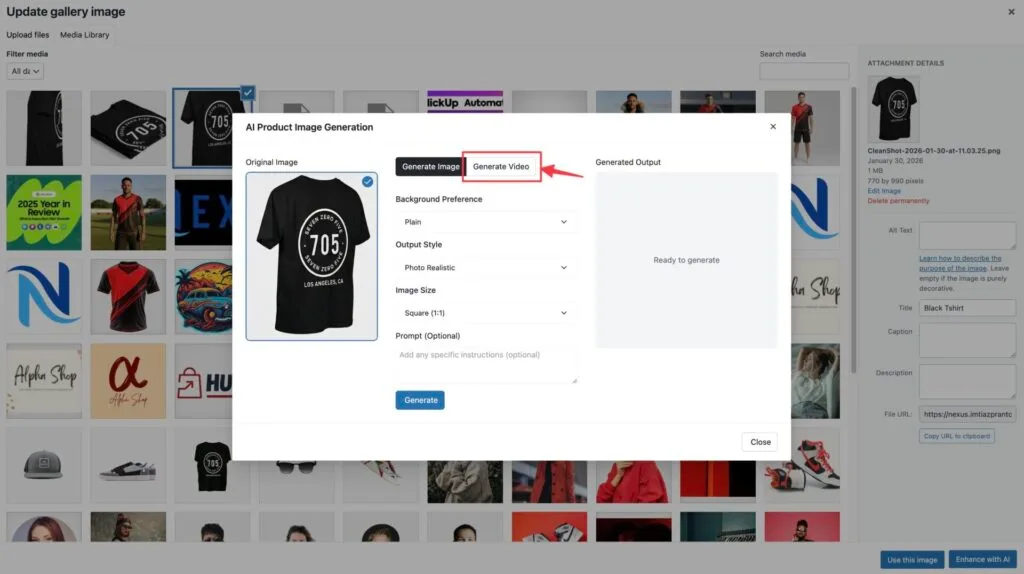
Now, you will be seeing this screen.
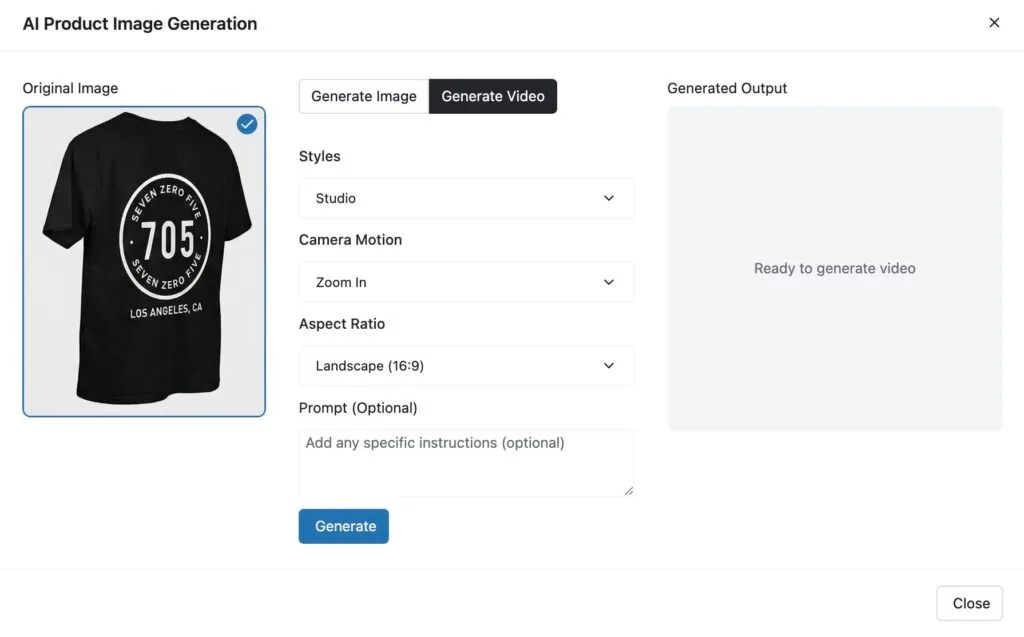

In this modal, you will be able to edit the Styles, Camera Motion, Aspect Ratio, and even give a custom prompt for your video generation.
- Style controls the overall visual feel of the video. Available presets include Natural, Studio, Cinematic, or None
- Camera Motion controls how the product moves in the video. There are multiple camera motions available.
- Aspect Ratio defines the screen size of the video. Available ratios include Landscape (16:9) and Portrait (9:16)
Please adjust the settings to your preferences, and hit generate.
If you don’t like the generated video or want further modifications, you can click on Regenerate to generate the video again.
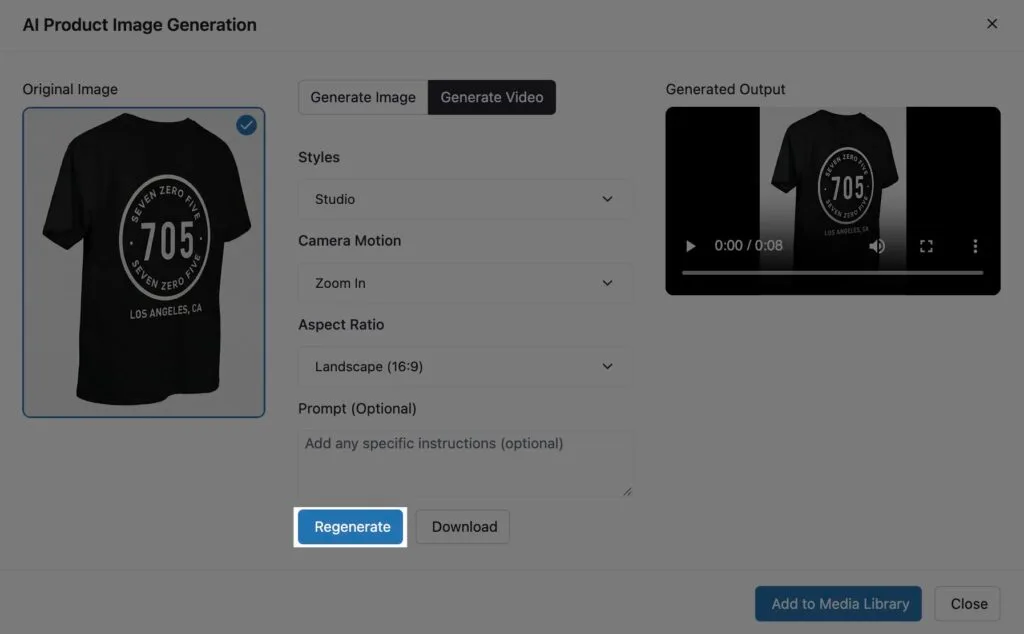
💡 Expert Tip: Play around with the Style Presets & Camera Motion. Be sure to tweak the prompt to get the best results.