

How to Disable Bulk Try On
You can also disable the Try On feature in a bulk.
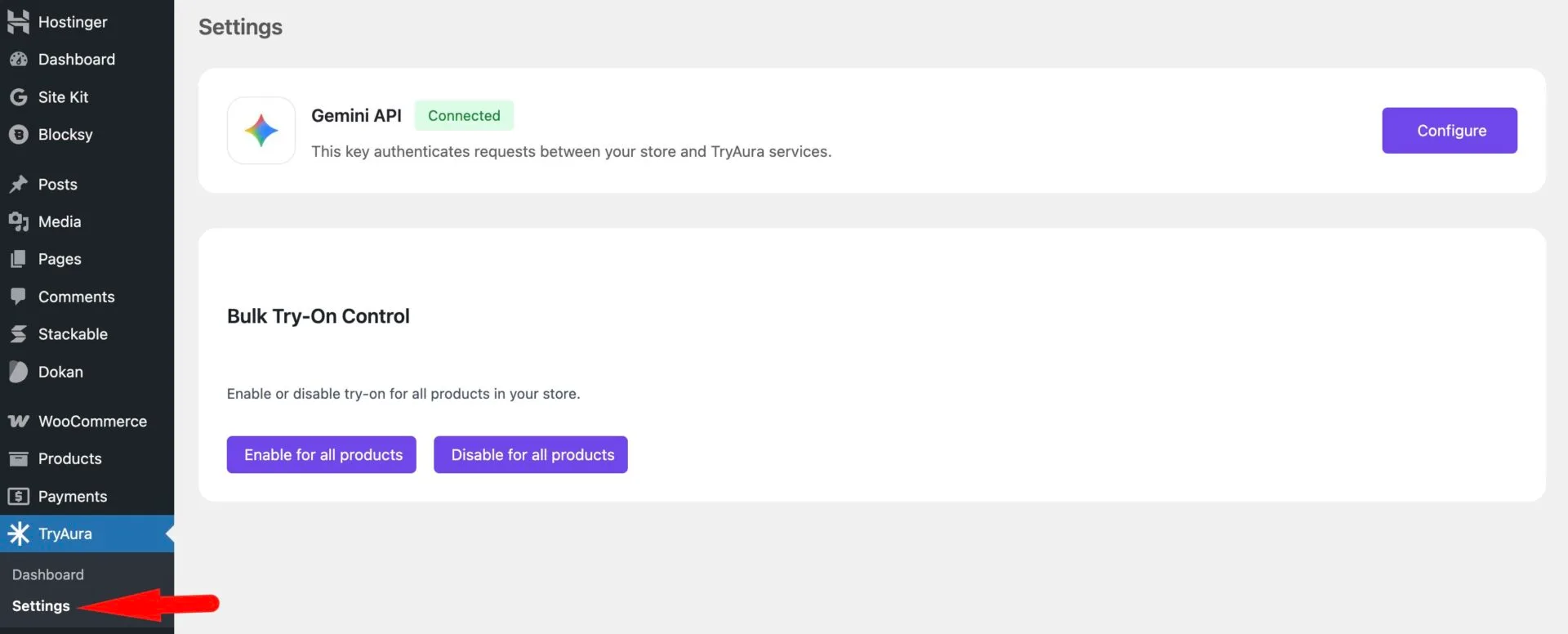
To do that, go to TryAura–> Settings.
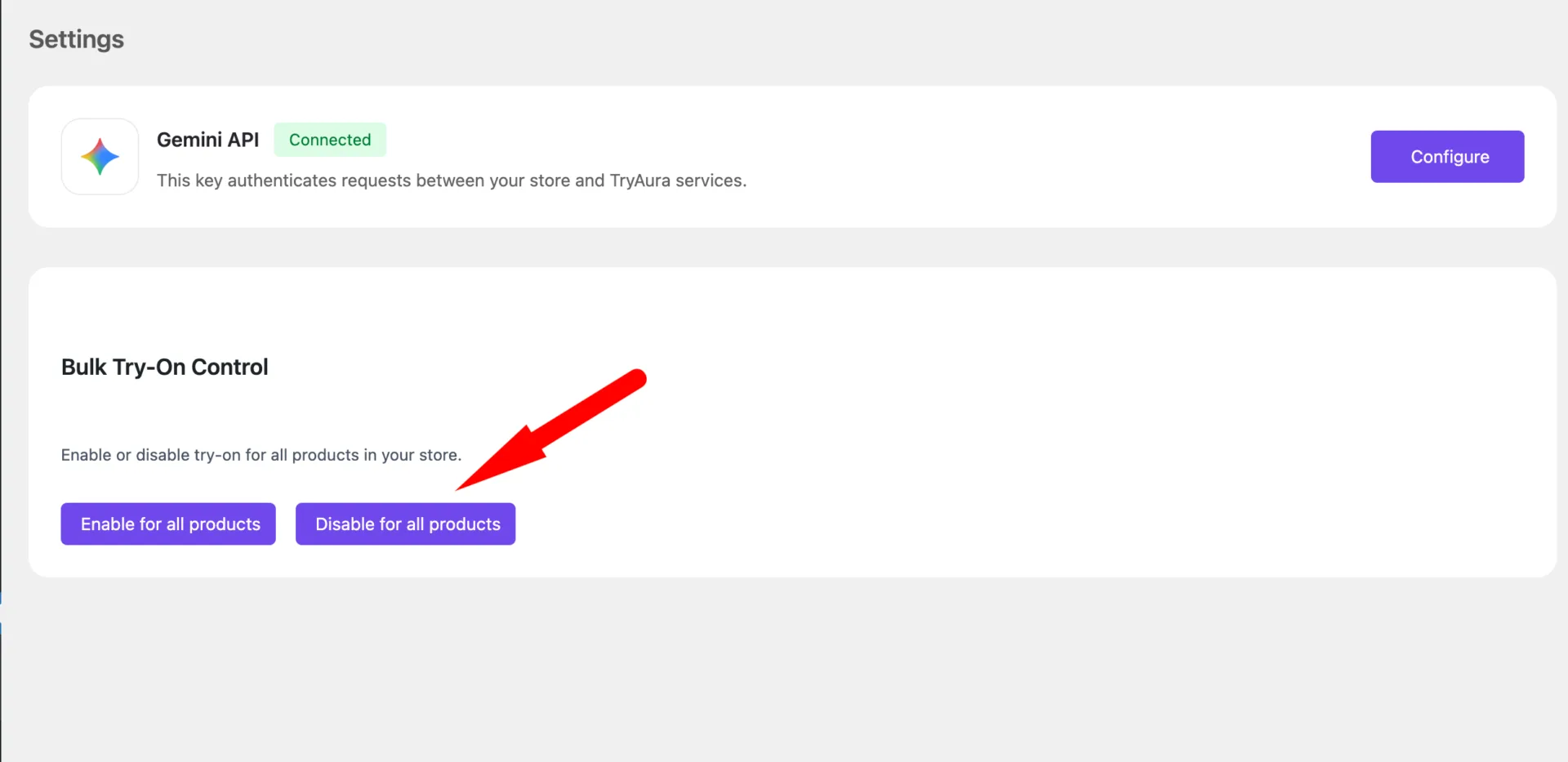
Now, click on the Disable for all products button-
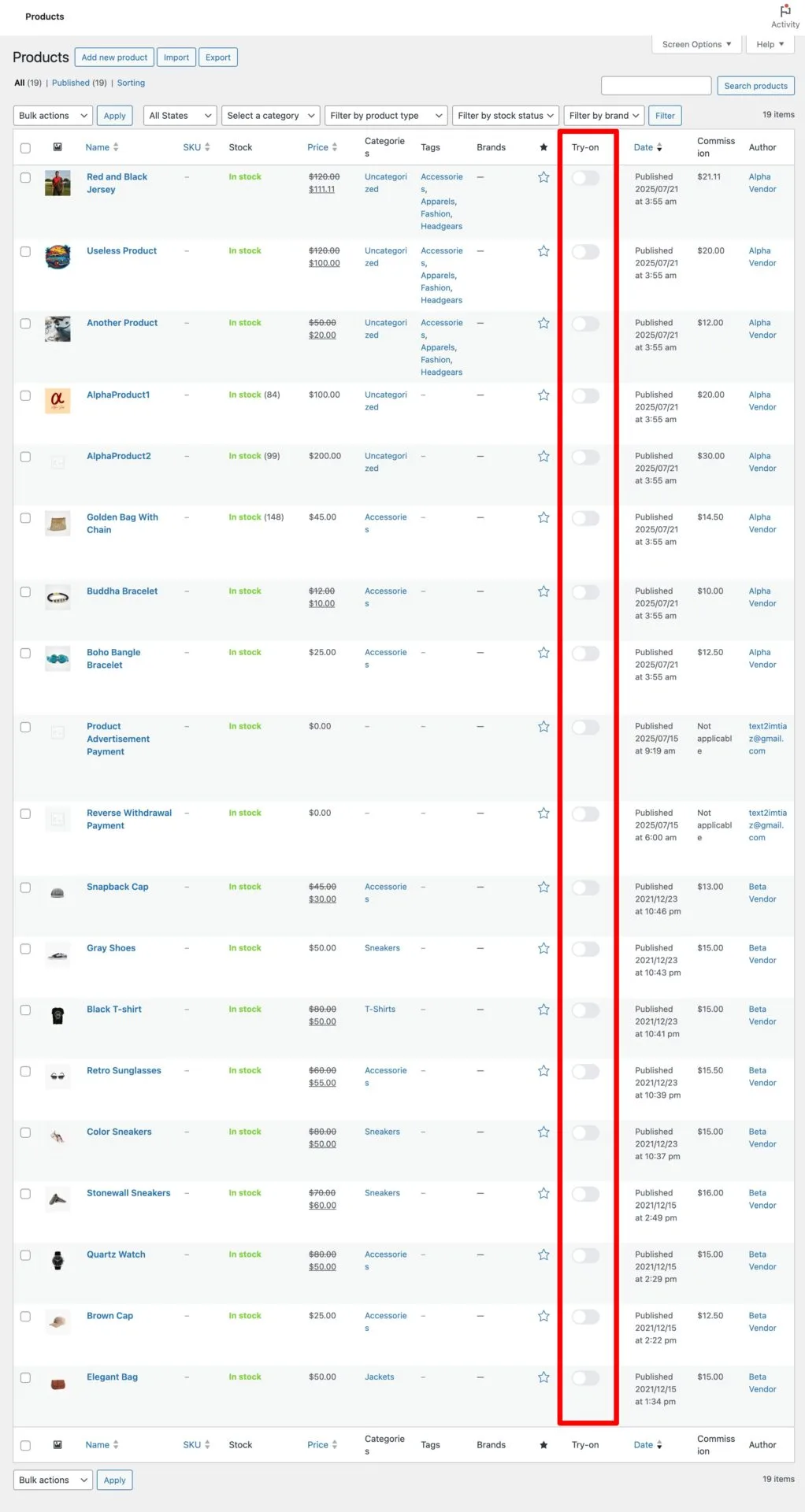
You will see that all the products have the try on feature disabled-
You can also disable the Try On feature in a bulk.
To do that, go to TryAura–> Settings.
Now, click on the Disable for all products button-
You will see that all the products have the try on feature disabled-